

These days, being overwhelmed by emails can be considered a legitimate state of mind. For many of us, the majority of the day is spent defusing the unread email bomb. However, we are now finally seeing some respite with AI in the picture.
It has brought in some never-before-seen convenience of writing an email with a click. As AI email writers take over the market, promising instant replies to your emails, our workflow seems to be far more organized.
However, we are now in a different kind of dilemma. We don’t know which tool to trust with our emails. One cannot always rely on a simple copy and paste for emails that convey major decisions.
Read along as we lay it bare about what exactly you should look for in an email writer and the step-by-step guide to writing and replying to an email with an AI email writer.
What Is an AI Email Writer, and How Does It Work?
An email writer is an intelligent, AI-powered tool that helps you with quick and instant replies to your emails. They are designed not only to make your workflow easier but also to add an extra intellectual input to the process.
With a tool like HumanizeAI.io’s AI-powered email writer, you get your personalized email writing assistant that not only makes things faster but also easier, contextual, and most importantly, accurately relevant.
It is a smart tool that not only offers polished email replies in more than 25 languages but also in various styles and tones. However, the best part in all this is that it is completely free to use and requires no extension, downloads, or any signup hassle.
Why Use an AI Email Writer for Professional Emails?
You might think that relying on an email writer can be a risk, as AI can hardly pick up the nuances. That is why we at Humanize AI.io have designed a tool that understands the urgency of an email.
Our free online AI-powered email generator understands that sometimes one email can fix an issue that has been disrupting the entire channel or convince an irate customer to stay invested in the relationship. It knows how to take care of escalations, give a polite nudge to a team member, welcome a new employee, let go of an existing bond, and do so much more in one simple click.
As you rely on our AI email assistant, you are not only relying on speed or scalability but also on a 24/7 writing assistant that has contextual awareness.
✅ Toggle between writing a fresh email or replying instantly, no setup required.
✅Get scenario-specific templates, follow-up, Sales Pitch, Customer Support, Job Application, and more.
✅ Write professional, friendly, or persuasive emails in multiple languages for free and with high accuracy.
✅ There are no elaborate prompts, no AI hallucinations, and no repeated phrasing. Work with an AI tool that writes with precision, sensitivity, and context.
Step-by-Step Guide to Writing Emails with Our Free AI Email Writer
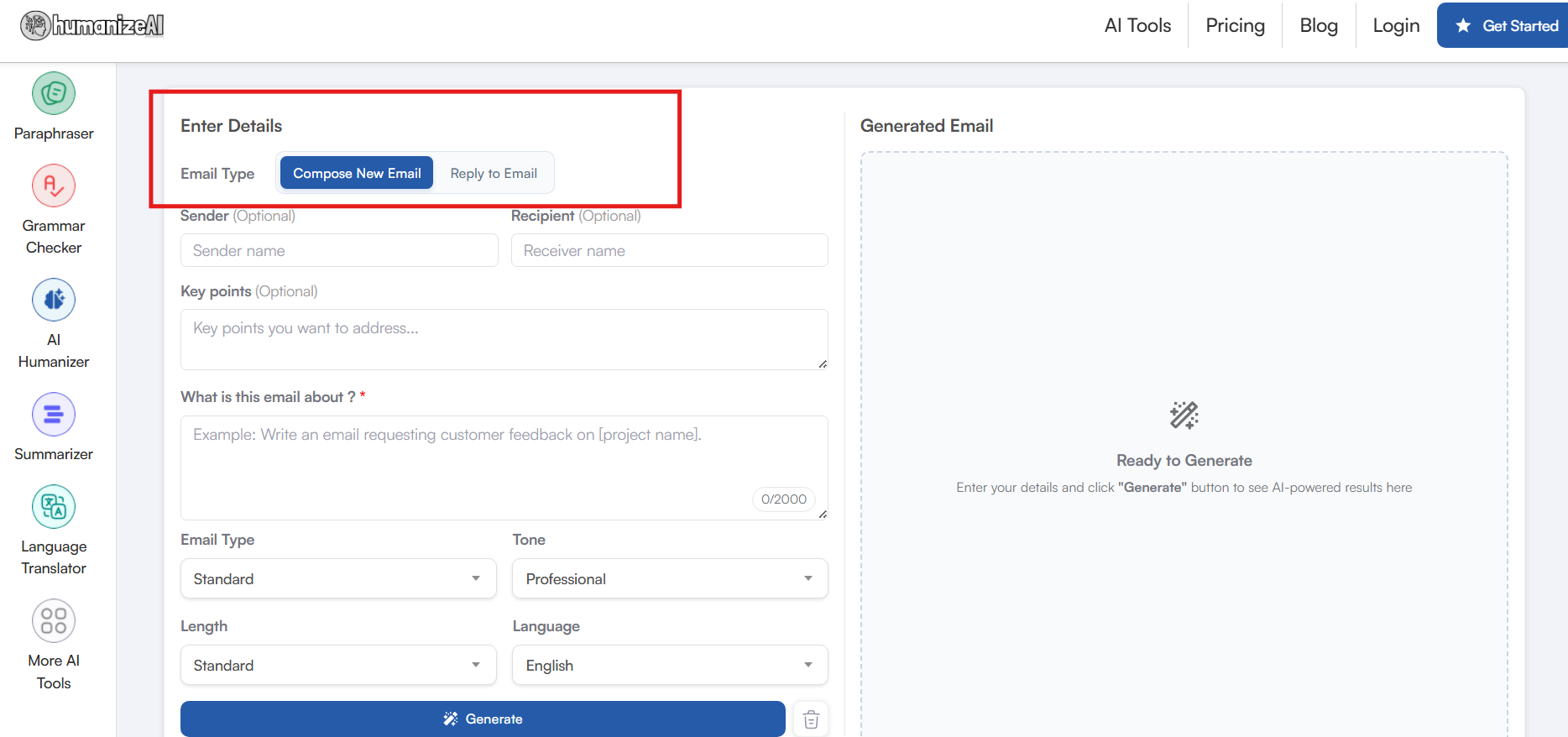
Step 1: Enter Email Type
Begin by letting our AI know if you are replying to an email or composing a new one. This helps our AI email generator to include the existing conversation or respect the email chain accordingly. Along with that, it makes sure you never miss a single thing as you rely on our tool for efficiency.
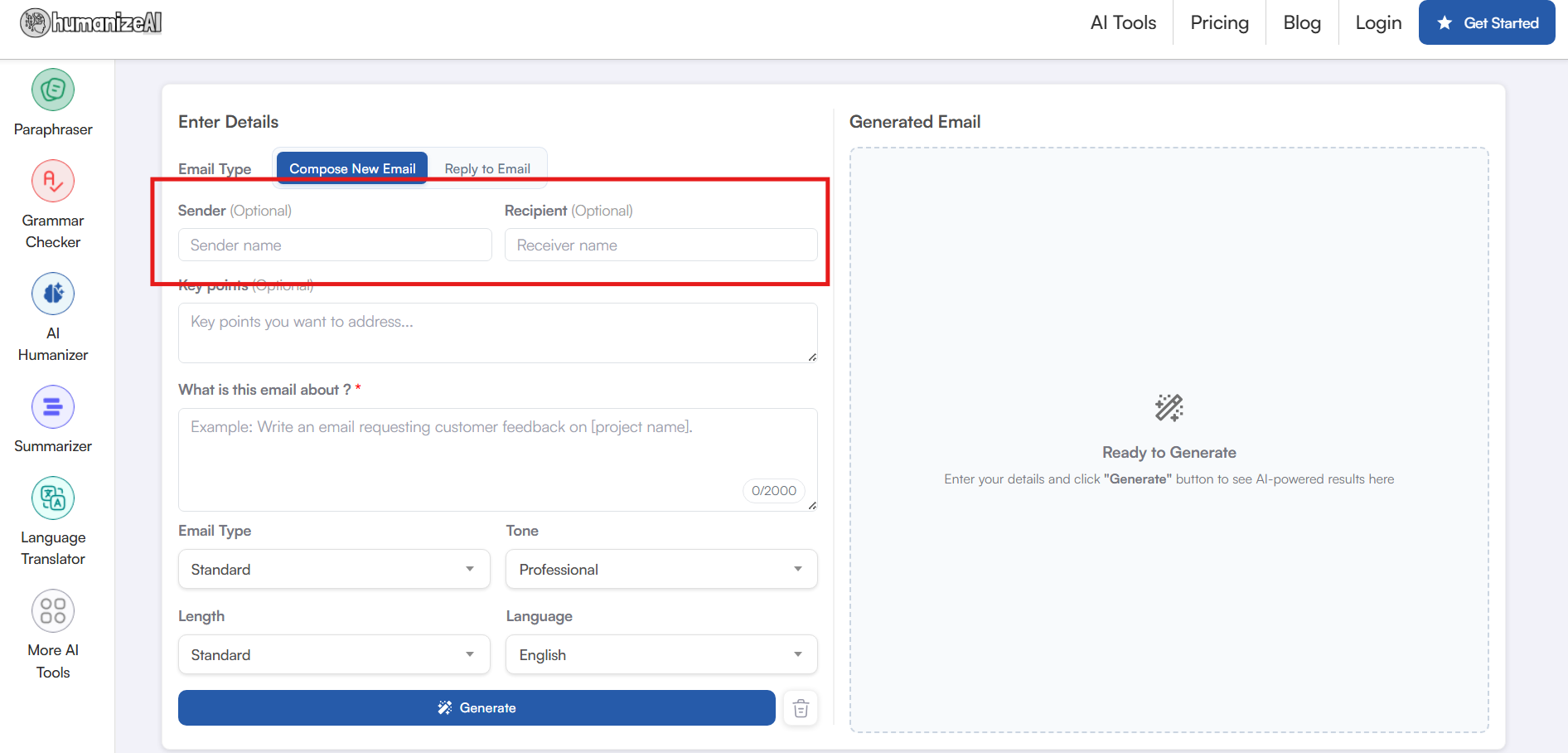
Step 2: Enter Sender / Receiver Details
While this step is optional, it’s an easy way to add a personalized touch to your emails. It saves you from ever having to edit names or details manually again. No more filling in the blanks before sending. Just enter the details once and let our free AI email generator handle the rest.
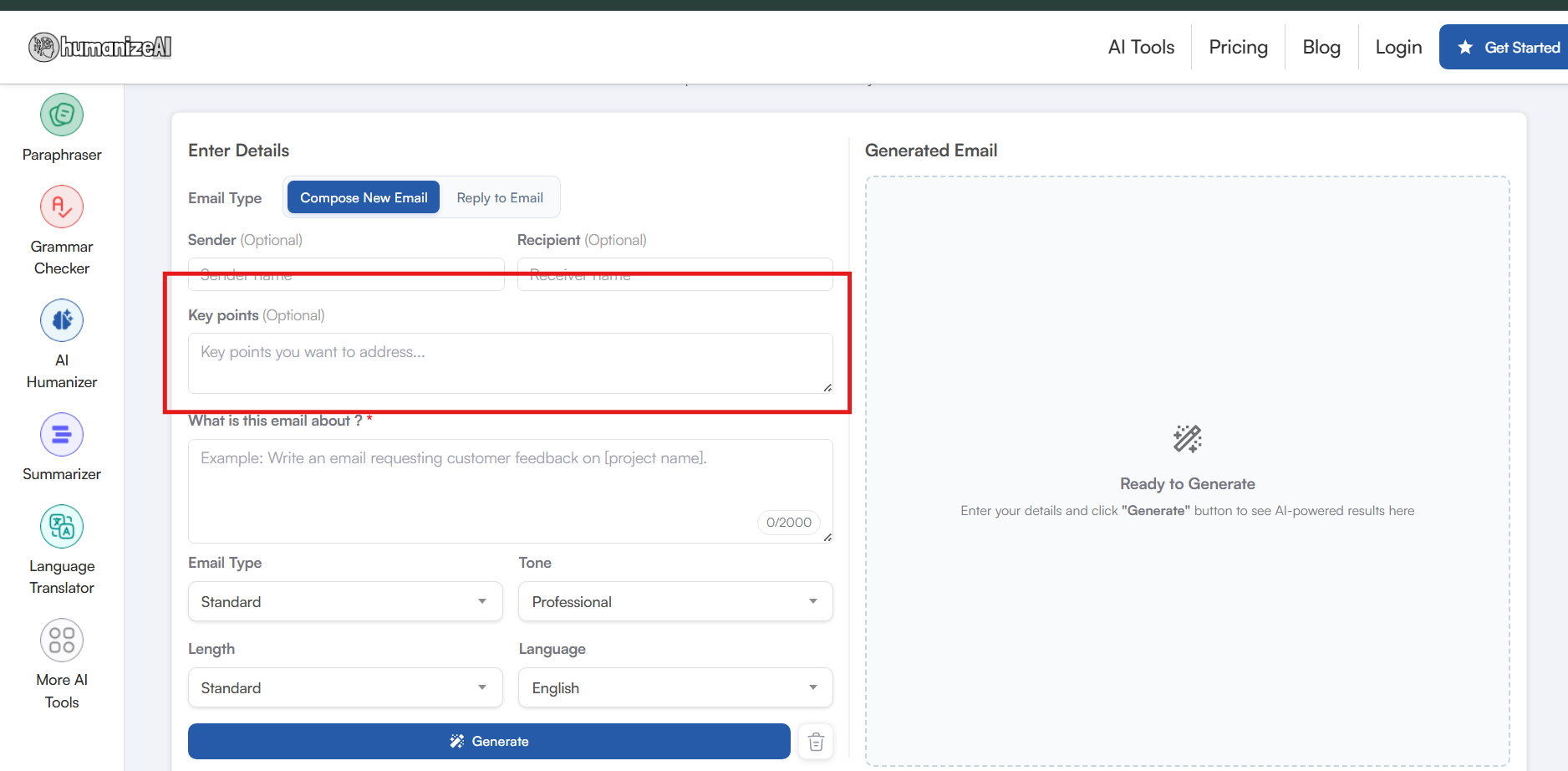
Step 3: Key Points
Another optional step that works like a seasoning to perfect your email is the Key Points option. This is essentially you telling our email writer what to include in the body for a better reading experience. It could be a sales figure, a previous follow-up date, a quick reminder, or even a special event in the recipient’s life to make the email feel more human. (Yes, we got it all covered, don’t you worry)
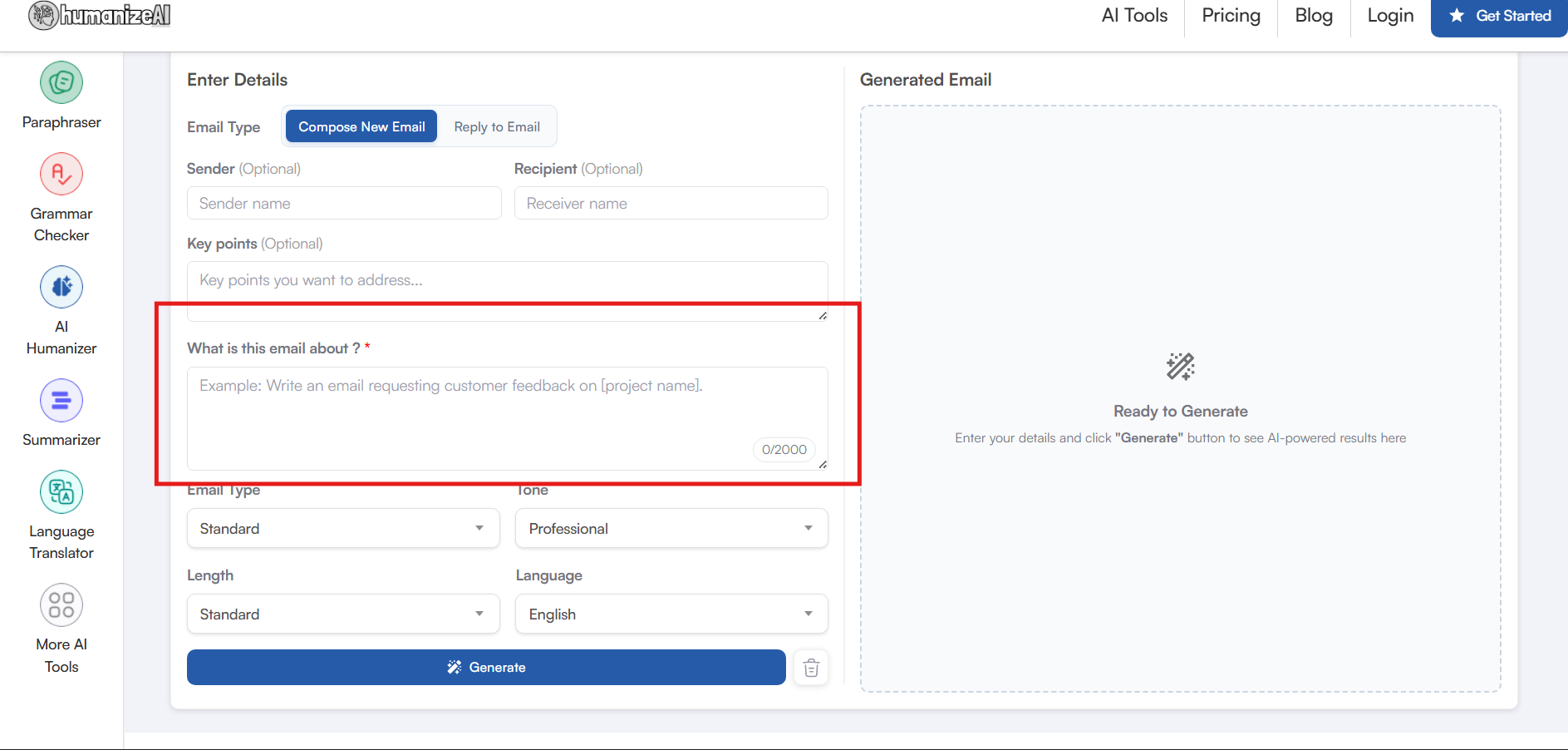
Step 4: What Is This Email About?
For most AI writing tools, you have to think of a highly precise prompt for it to generate accurate results. But not with our free online email generator. You can just talk to our email writer and help it generate the most accurate results.
With this step, all you need to do is tell our assistant what the email is about. It can be a simple note or a detailed explanation in your preferred tone; that’s it.
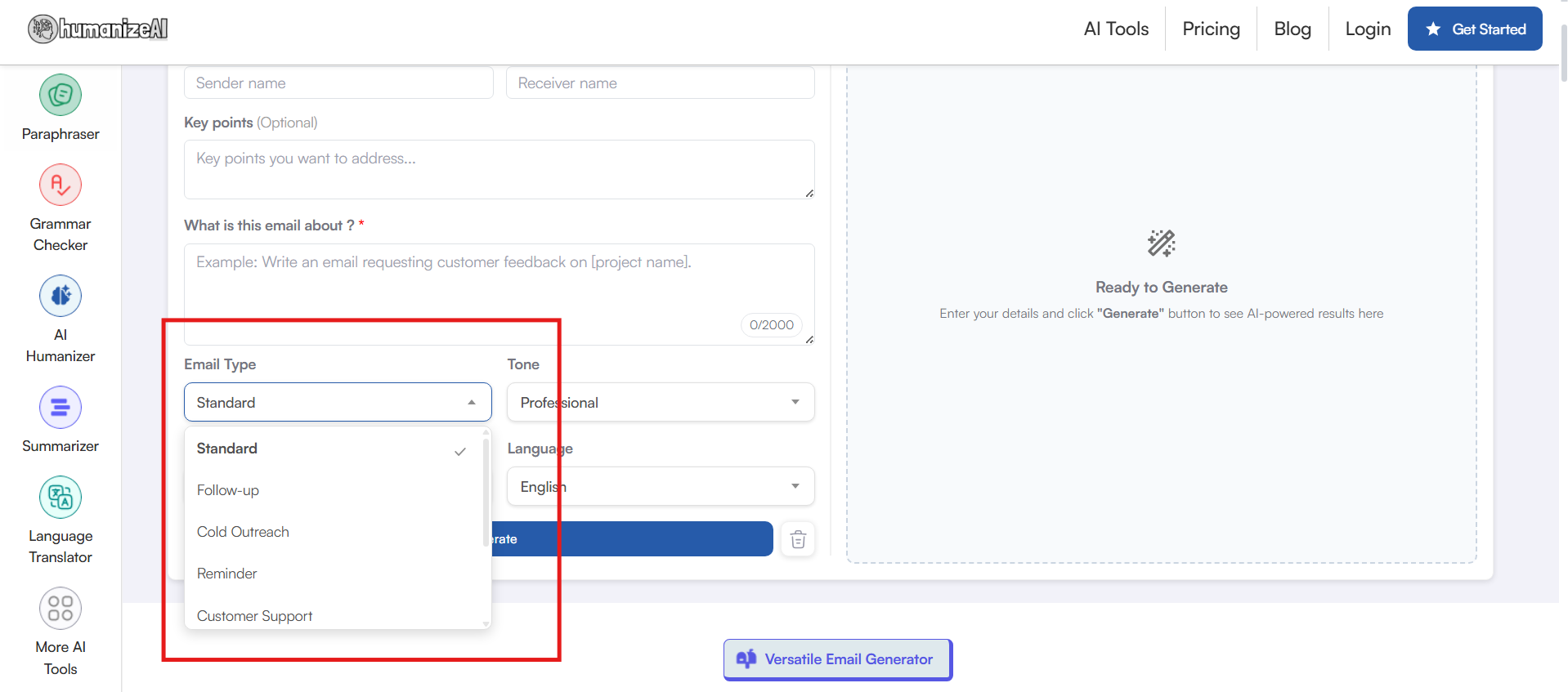
Step 5: Email Type
This is the step that sets us apart from our contemporaries. It is where the niche customization happens, and our free online email writer crafts that perfect email as per your writing needs. You cannot have your customer service voice switched on with your cold outreach, or your newsletter cannot sound like a sales pitch. There is always a fine line.
All you have to do is select the mode of your choice with a simple toggle, and you are ready to send an email is ready in a second.
Step 6: Tone
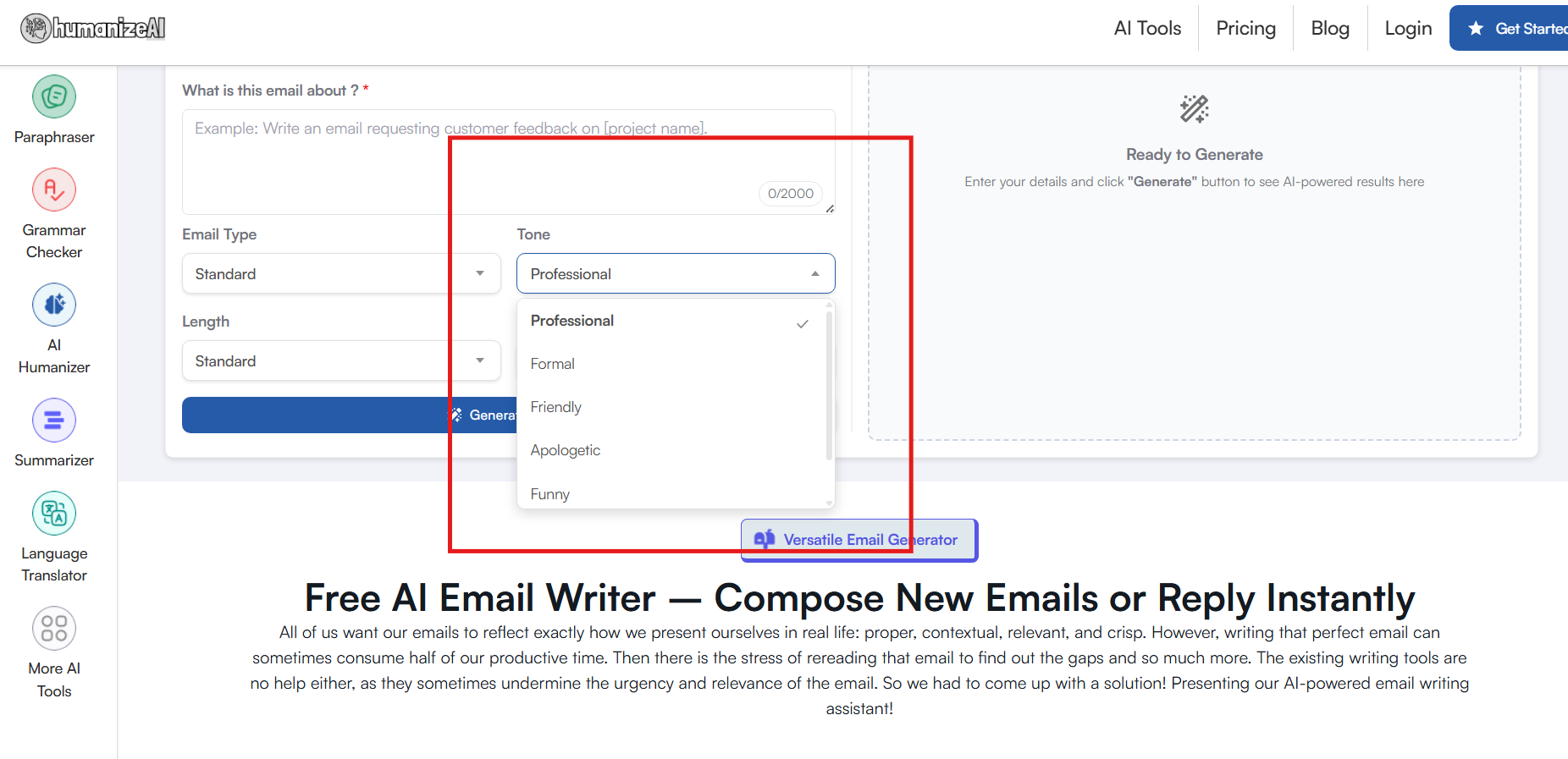
Imagine showing no emotions when you are writing an apology email to a customer or going with a casual tone with your client conversations. That’s a blow you can rarely recover from. So, when we designed our smart AI email writing assistant, we kept the basics of human emotions and courtesy in mind.
Select the tone of your choice and write with heartfelt emotions rather than an AI directed narrative with no emotion.
Step 7: Length
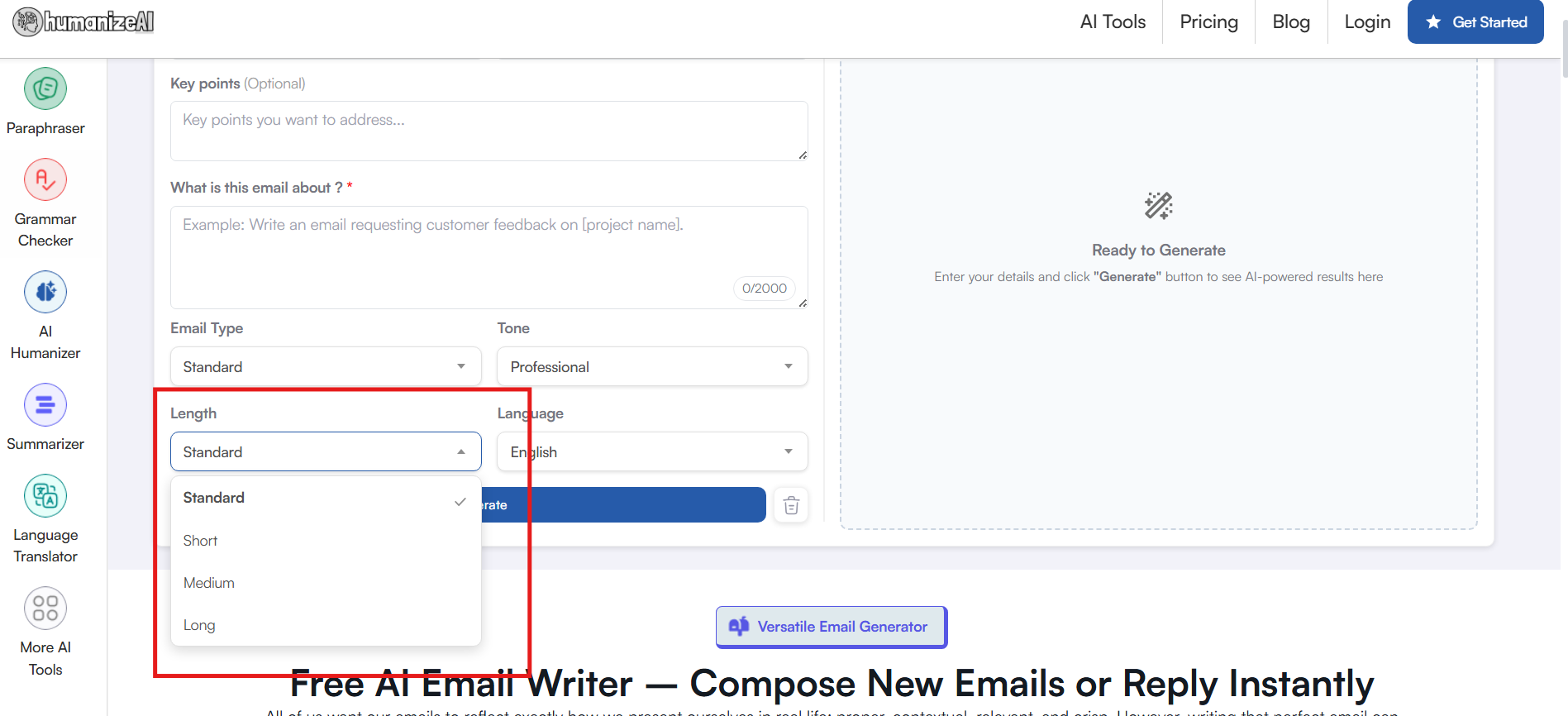
Quickly decide the length of your email, depending on a thorough follow-up or a gentle nudge with an easy toggle. Make the most out of a tool that offers a refreshing take on emails by letting you decide the specifics.
Choose from four dedicated lengths and craft your emails exactly the way you want them.
Step 8: Language
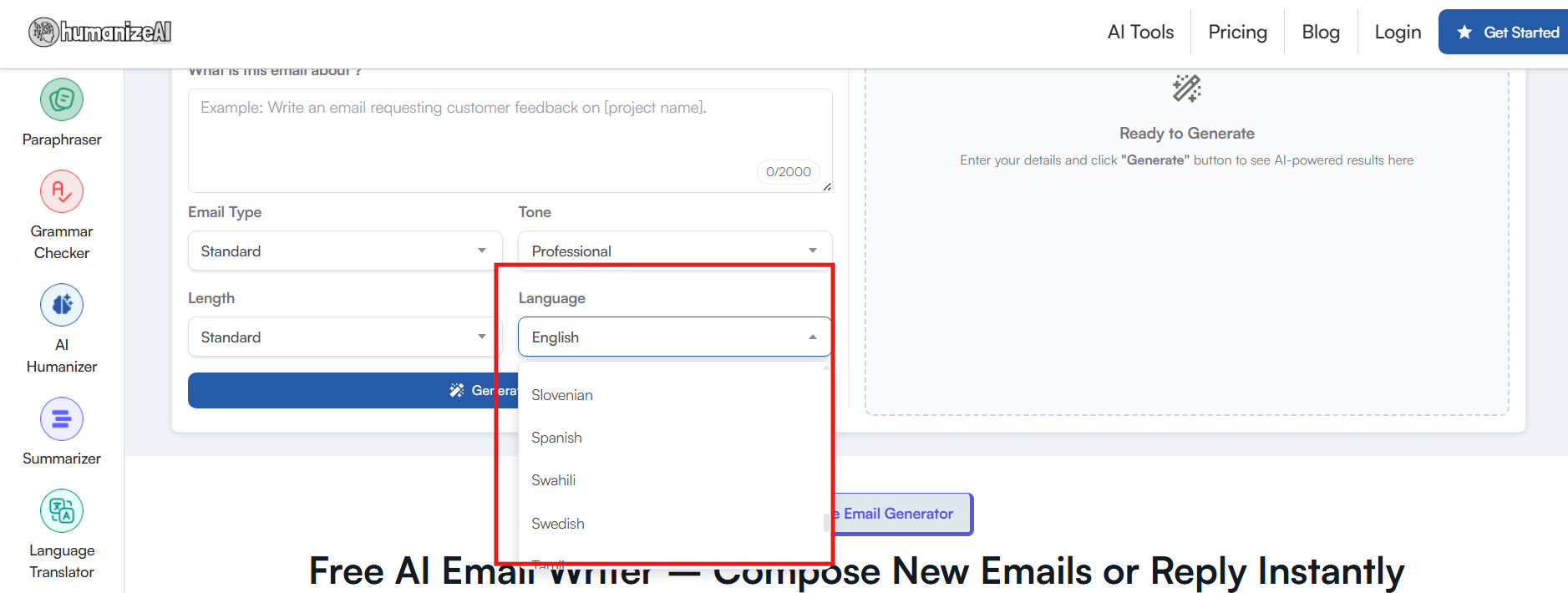
Our free online email generator lets you write in 25+ languages with ease. Whether you are replying professionally in English, a polite follow-up in French, or a friendly reminder in any other language, our tool does it instantly!
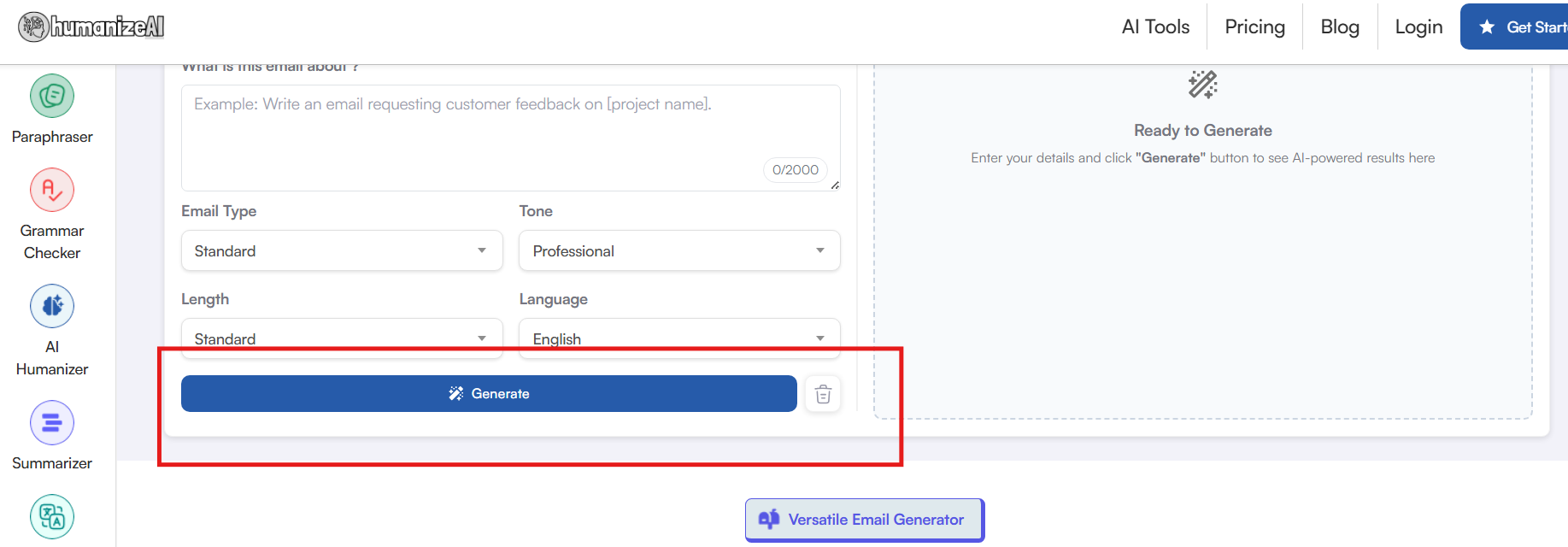
Step 9: Generate
As you select your customizations and specify your preferences, our online email generator creates the perfect email in just a second or two. The best part? It’s completely free with no usage limits, so you can generate as many emails as you need, anytime, with ease.
Why HumanizeAI.io’s Email Writer Stands Out
The crucial thing about this AI ecosystem is that not all AI tools are equal. Some go beyond simple automation, like our AI email writer, which is not only intelligent but also context-aware and a highly versatile solution for all your emails. Here's what sets it apart:
Contextual Awareness
Unlike the other email generators in the market, our free online AI email writer doesn’t rely on matching keywords or sentences. It knows the gravity of writing a professional email and the repercussions it might have. When we discuss escalations, sales, crafting a persuasive sales pitch, or a simple cold outreach, our AI tool knows how to get ahead. Moreover, it makes sure every email feels thoughtful, insightful, and most importantly, human.
Multi-Language Support
There is no language barrier when you communicate with your international clients, colleagues, or teams using our AI-powered email writer. Our tool ensures that your emails are not only translated, but are also culturally and contextually sensitive.
Customization at Every Step
From your email type and tone to length and key points, our tool gives you control over how you present your message. Write exactly what you want to say by selecting dedicated customizations instead of relying on generic keyword templates.
Instant High-Quality Output
The entire process happens in seconds, allowing you to respond quickly within your ongoing email chain, so you don't have to sacrifice your workflow and sit for hours to write that one email. There is no second-guessing, no repetitive phrasing, no AI hallucination, just simple human communication.
Zero Hassle, Zero Limits
Since our tool is completely free, it requires no sign-ups, downloads, or extensions, and comes with unlimited usage. Therefore, you can expect it to show the same dedication and comfort in your 100th email as it did it the first time.
Write Smarter, Send Better: Why HumanizeAI.io Makes Every Email Count
When committing to a tool, you must consider a few key factors: the ease and comfort it offers, how it can boost your productivity, and most importantly, how much it impacts your budget. With Humanize AI's free online email writer, you get all this and more. It ensures you not only save time, but every message you write is thoughtful, accurate, and contextually relevant.
Whether you are handling customer queries, sending sales pitches, or connecting with your global team, with our tool, you are always prepared. Hence, with zero hassle, unlimited usage, and a versatile writing experience, be a part of the future of email writing.
FAQs
Is it safe to rely on an AI email writer for confidential emails?
With our free online email writer, your data is processed securely, and sensitive information is protected. Since we do not save the emails you work on, all your confidential information is cleared off the desk the moment you hit reload or exit the setup. So, rest your worries and work with our safe, reliable, and intelligent assistant that helps you craft the perfect email every time.
Can an email writer improve my productivity?
The main purpose of developing our AI email writer was to improve productivity. With our free online email generator, you can write high-quality emails in seconds without spending hours drafting, editing, and formatting. You not only get ready-made emails in seconds but a complete respite from the stress of brainstorming for that perfect reply.
What is an AI email writer?
An AI-powered email writer is a smart tool that helps you write emails instantly. With Humanize AI's AI email writer, you not only get speed and scalability, but an all-in-one writing assistant that understands the context of your email conversations and the intent behind them.
Are AI-powered email writers free?
Our AI tool is completely free to use with unlimited usage. You can draft, reply, and customize as many emails as you want in more than 25 languages without downloading any extensions, signing up, or worrying about hidden costs.