
Are you also someone who sometimes opens Google Docs to count how many words they have written? Well, I have some news for you! You don’t have to constantly worry about every word you write or have fourteen tabs open anymore.
There is an endless list of AI-powered word counters available today that make writing way easier. Read along as we check the best AI word counters for 2026 and help you find your perfect match.
But, before that, a few quick checks so that we know what to expect. 👀
Why Do You Need An AI Word Counter?
If only this world were ruled by Google Docs or WordPress, our lives would have been so much easier. But sadly, it is not, and we still have to write for dozens of other purposes throughout the day.
- The client's email cannot exceed a certain word or character count.
- There is an urgent need for an SEO brief of 1300 words.
- Your meta description must stay under 160 characters.
- Then there is LinkedIn with its word limit!
This is why an AI Word Counter helps when you have to adhere to the set limit and yet stay in your flow. It ensures that instead of you struggling with multiple tabs, manually scanning through each sentence, and living in constant doubt, you have a refuge.
But which word counter tool is the one for you? Let us run a quick test.
How We Evaluated These AI Word Counters
The problem with testing a setup like this one is that every tool will have the same result. Therefore, we needed to work with the intent. In other words, word count accuracy remains consistent across tools, but the real difference lies in:
- A friction point or interruption in the workflow
- When the setup is stubborn for a sign-in.
- Takes forever to load.
- Adds unnecessary banners and features that confuse the readers from their main intent.
- There is clear communication on who the tool is actually built for.
Therefore, to get ahead of the obvious confusion, we selected a paragraph from this blog itself and noted how each tool worked around it. This not only makes the entire discussion easier and fairer but also helps you with clarity.
Best AI Word Counters For 2026
We know what a Word Counter does, so we are not testing each tool for functionality. But in this list, we will see their setup, ease of access, and how easily they can blend into your workflow.
1. Word Counter by HumanizeAI.io
Best for: writers working across platforms who need numbers, context, but also an easy interface to rely on.
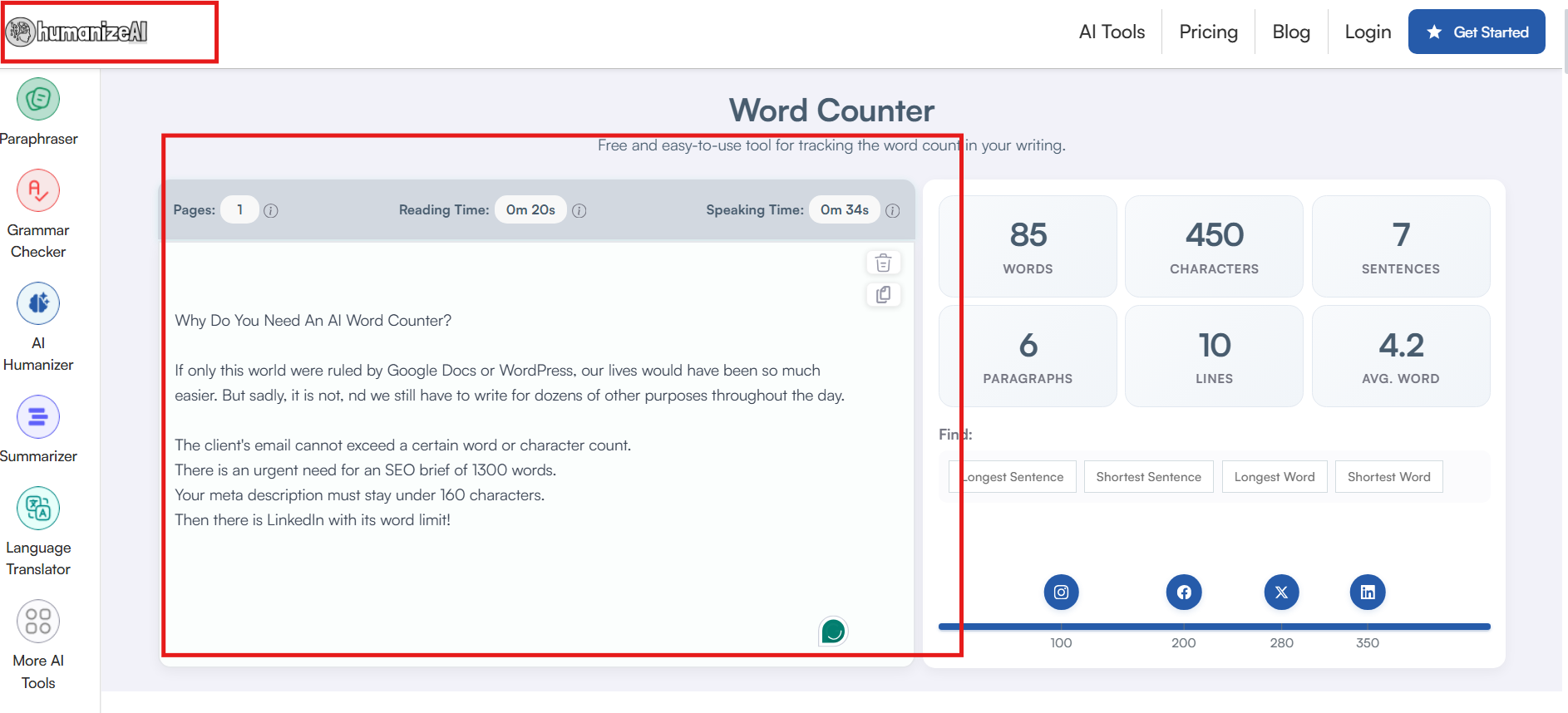
Word Counter by HumanizeAI.io is designed to work silently as you keep up with your day's work. It is a simple setup with no interrupting banners, notifications, or any added downloads. Infact, it won’t disrupt your writing flow by prompting the word count or distracting you with banners.
What the tool does:
- It not only helps you with the word count but also with specific niche details like words, characters, sentences, lines, paragraphs, and the Average word as well.
- Infact you can also use it to scan your document for the longest sentence, the shortest Sentence, the longest Word, and the shortest word.
- The best part is that it ensures you are always social media ready with dedicated wordcont thresholds for Instagram, Facebook, X, and LinkedIn. Moreover, repurposing content is no longer a challenge.
- Preparing for an important speech? An opening ceremony? Greeting the guest of honour? Simply run it through the Word Counter on HumanizeAI.io to get instant reading time, speaking time, and page count.
Pricing
You can use HumanizeAI.io's word counter for free.
2. ZeroGPT Word Counter
Best for: quick checks when keyword density or reading level matters.
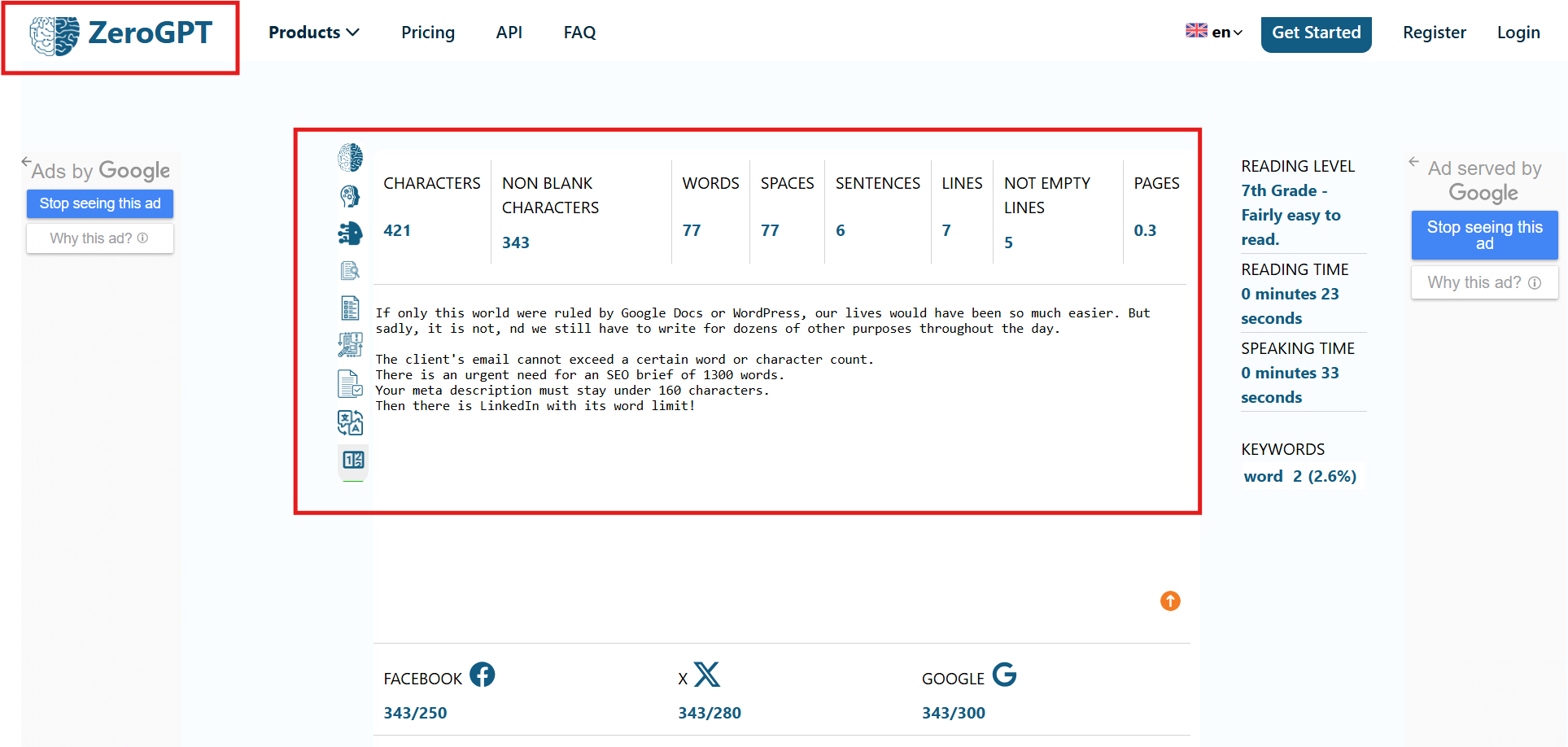
Another dedicated AI setup that doesn’t need any extra hassles. You can work with ZeroGPT’s Word Counter the moment the page loads. There are no added steps, rules, and so on. All you have to do is paste your text, and you are good to go!
What the tool does:
- With ZeroGPT’s Word Counter, you get quick access to characters, non-blank characters, words, spaces, sentences, lines, not empty lines, and pages.
- Even though the tool is easy to use, it somehow narrows the entire interface and makes it a bit cluttered.
- It even comes with a dedicated “Reading Level” feature that makes keeping track of your texts easier.
- Along with speaking and reading time, you also get to track keyword density. That said, the lack of clear explanations can make this feature confusing at first glance.
- Lastly, you can also keep a track of your words on social media platforms like Facebook, X, LinkedIn, or Instagram.
Pricing
You can use ZeroGPT’s word counter for free.
3. WordCounter.net
Best for: If you are looking for behavioral insights like flow and readability.
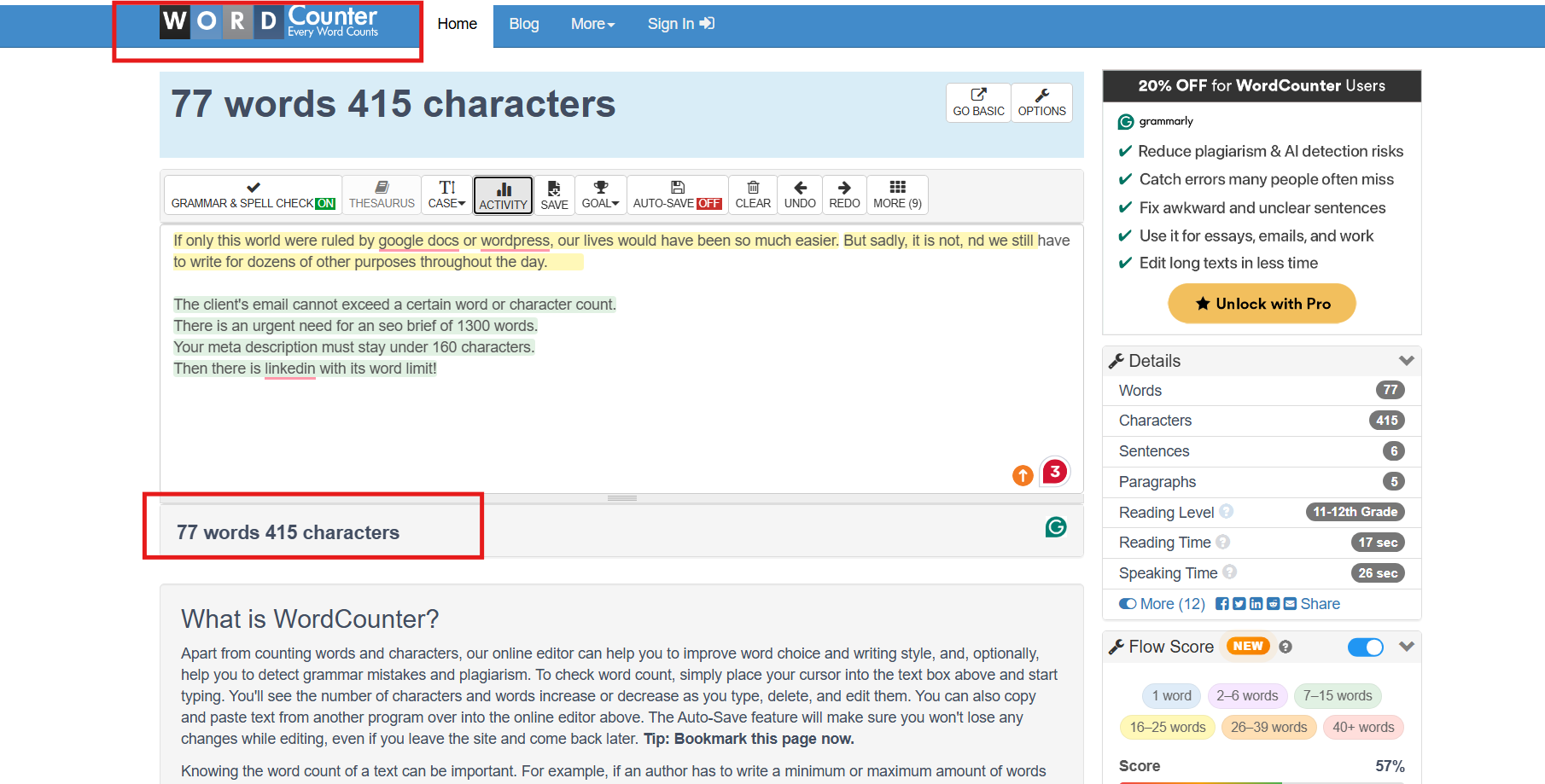
Another high-end WordCounter that has no waiting, no friction, and makes the entire process easier even for first-time users. However, its entire setup is a bit cluttered appearance-wise, but the ease of access and quick response make up for it. Moreover, it offers several built-in options for various writing needs.
What the tool does:
- The tool offers a quick round-up of basic details, for example, words, characters, sentences, paragraphs, reading time, speaking time, and reading level.
- It has an intuitive “flow score” button that helps understand how the entire experience will be for your readers.
- WordCounter.net offers a few other in-depth solutions, like autosave or keeping track of your writing activity the moment you sign in.
- However, the interface does not always work in its favour. With multiple options and limited guidance, sometimes,nusers are left unsure about the next step.
Pricing
WordCounter.net is currently free to use.
4. Hemingway Editor
Best for: editing-heavy workflows, not quick word checks.
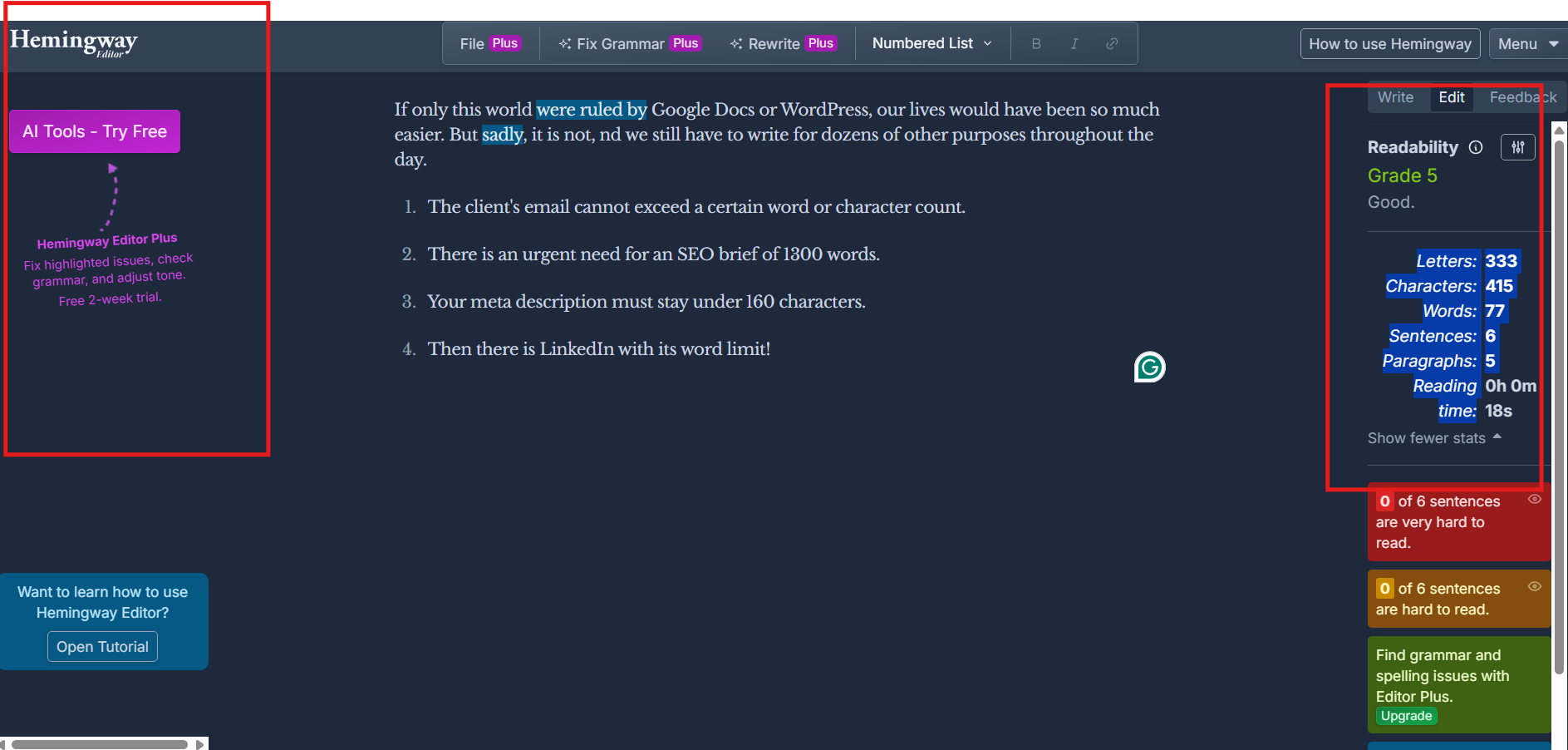
Hemingway Editor is your all-in-one writing assistant that also comes with a word counter. With a dedicated dashboard and an in-built instruction panel, you can not only edit but also ensure the word limit is in place.
What the tool does:
- Hemingway Editor, with its word counter, delivers detailed statistics for you to analyze your written content.
- It offers an overview of Letters, characters, words, sentences, and paragraphs in one go.
- Not only that, but you also get a quick score for your readability.
- However, the problem with a setup like Hemingway Editor is very simple. It is way too scattered, and for a new user or someone who is not familiar with AI.
Pricing
It does have a limited free trial, and its monthly plans are as follows:
- Individual 5K Plan: $10/ month
- Individual 10K Plan: $15 / month
- Team 10K Plan: $15 / month
5. Upgrowth
Best for: basic word count needs
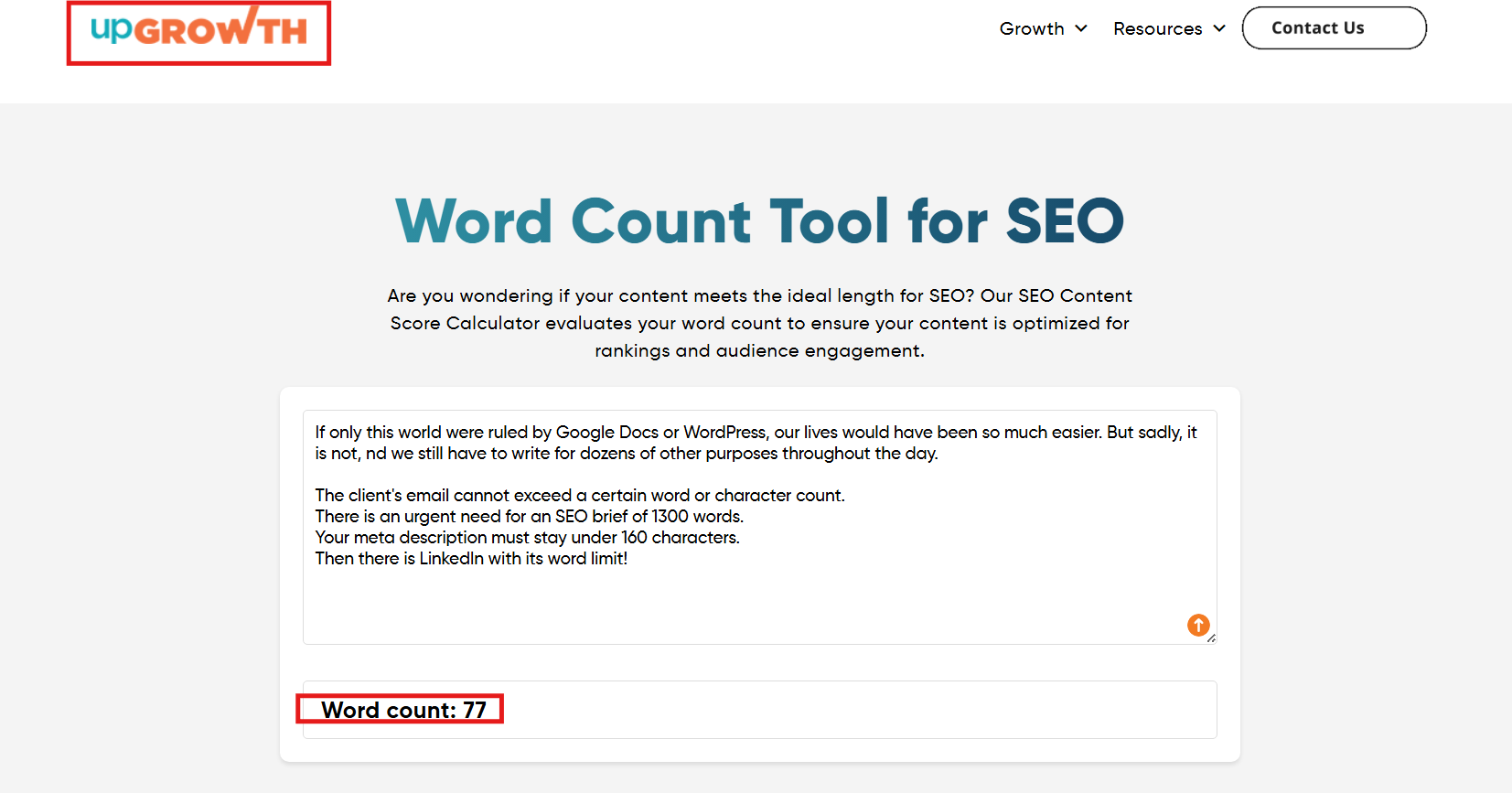
Upgrowth promotes itself as an SEO word counter with a very simple setup. All you need is a single copy and paste to keep track of the number of words, and that’s it. The tool gives out the impression that there are multiple hidden features due to its banners, but it is just a one-step, fast, and efficient setup.
What the tool does:
- It quickly checks for the word count with one simple click, and that’s it.
- It is a very distinct option for writers if you can ignore all the banners and only want to know the word count for your given text.
- However, its supporting content is a bit confusing, and you might think there is some other subscription, tab, or window you have to click on for that SEO magic.
Pricing
The UpGrowth word counter is free to use.
How To Choose The Right AI Word Counter For Your Workflow?
With a word counter, accuracy is a non-negotiable; we all know that. Now you might wonder if I am getting an accurate result, but how does it matter which tool I use? Well, the difference lies in how the tool fits into your workflow.
For example, if you work on emails daily, you cannot have a dedicated Google Docs open for each email you send. So, when you choose a word counter, you have to consider a few critical things:
- Your primary writing purpose: does the tool justify its use, and is it able to guide you with detailed insights? Whether you’re working on blogs, SEO briefs, academic content, emails, or social media captions, your ideal tool should be ready for it all.
- The level of detail you actually need: For a few users, a basic word count track does the job. But then, on the other hand, others need to rely on sentence length, paragraph structure, reading time, or speaking time.
- How often you switch platforms: If you keep moving between Google Docs, CMS, email tools, and social media and etc you need a word counter that can keep up with multiple formats.
- Workflow interruption: There are tools that need an added extension, a list of questionnaires to fill or are loaded with pop-up upgrades, or prompts that interrupt the entire creative flow.
- Interface Clarity: You need a tool that guides you all throughout the way. Otherwise, it will make no sense to have the accurate numbers and still be confused with the entire process.
Common Mistakes That You Can Make While Relying On A Word Counter
You can have the best tool in the market and still be disappointed if you keep repeating patterns that have no use. A word counter is meant to support your writing process, not dictate it. Here’s a quick look:
- Treating word count as a quality benchmark: A word counter is not your writing assistant. It simply shows you the technicalities of your writing.
- Overusing keyword density metrics: The moment you start chasing an ideal number or percentage, your focus shifts from writing naturally to stuffing keywords.
- Ignoring context while reviewing numbers: Here’s the thing, word counts, sentence length, or readability scores only make sense when they are together. Reviewing them as isolated metrics can often lead to more confusion.
Always remember that strong writing comes from balance, relevance, and context, and not just numbers.
Final Verdict: Which AI Word Counter Works Best in 2026?
Making a decision becomes much easier when you have all your facts laid out on the table. To be honest, if your goal is just to count words, any tool will work just fine. However, if you are looking for a stable setup that helps with :
- Switching between platforms
- Managing multiple content formats
- Not being interrupted while writing
- A setup that works like a shadow
You need to analyze what the top 5 AI word counters have to offer. Here’s a quick recap of the same:
| Tool | Best For | Key Strength |
| Word Counter by HumanizeAI.io | Writers working across blogs, papers, SEO, and social media | Clean interface, interlinked context, easy to use |
| ZeroGPT Word Counter | SEO-focused checks | Keyword density and reading level |
| WordCounter.net | Content analysis | Readability insights |
| Hemingway Editor | Heavy editing workflows | Sentence-level feedback |
| Upgrowth | Simple copy-paste | Basic Setup |
Needless to say, for any writer, student, marketer, or researcher, what matters most is that it stays out of their workflow. However, it is ready with clarity, and the numbers are available the moment you need them.
In simple terms, the best AI word counter is not the one with the most features, but the one that quietly adapts to how you write. This is where Word Counter by HumanizeAI.io fits in naturally. With no overwhelming sign-in process, downloads, complicated setups, or scattered features, it brings in a much-needed calm.
So, that you stay focused on what matters the most, that is the content itself!🤗