
We know formatting is serious business. With one line going out of the place, your entire presentation can be ruined. Moreover, it can lead to rejection and sometimes a terrible first impression.
Whether it is a client copy or that approaching deadline for your paper, proper formatting adds that much-needed final touch. With your texts going haywire, establishing credibility becomes a challenge. No one will sit through the broken sentences and the missed codes during an assessment.
Hence, a text formatter is the need of the hour, as it can save you from a lot of undue penalties. But, how does an AI text formatter actually work? Read along to find how to format AI-generated text using the AI text formatter with one of the best text formatters in the market.
What is an AI Text Formatter?
An AI text formatter is an AI-powered formatting tool that is capable of formatting any given text with just a click. Whether it’s alignment, spacing bullet points, or sentence structure, you can do it all with ease.
If you look at Humanize AI’s text formatter, it offers way more, but in a subtle setup that accommodates all kinds of users. A tool that allows you to not only keep up with your misplaced sentences but also fix grammar (optional), get a quick sneak peek of the results, and do much more in a click.
But along with all this, it offers a multilingual experience. It can analyze over 25 languages and help you fix broken spacing, inconsistent headings, and much more.
Why do you Need an AI Text Formatter?
The need for a text formatter can be directly linked to your credibility and accountability. Think about it this way: what will it reflect on you if your final presentation has broken sentences or lines that don't make sense?
You cannot go through every possible sentence for the work that you have done and check for flaws. It not only disrupts the flow, but sometimes the mess can scare the readers away.
Now imagine submitting a research paper like this or sending such content to a client. In a real-life scenario, it can only mean missed opportunities and penalties that could have been avoided.
Moreover, using a text formatter is really easy, and the best part? You get to use it for multiple rounds for any kind of content that too, for free! Here is a quick analysis of how to use Humanize AI’s text formatter in a few simple steps.
How to Use Humanize AI’s Text Formatter?
To begin with, Humanize AI’s text formatter operates on an easy interface with instructional banners; hence, navigating it is not really a challenge. It will guide you on every step of the way with ease.
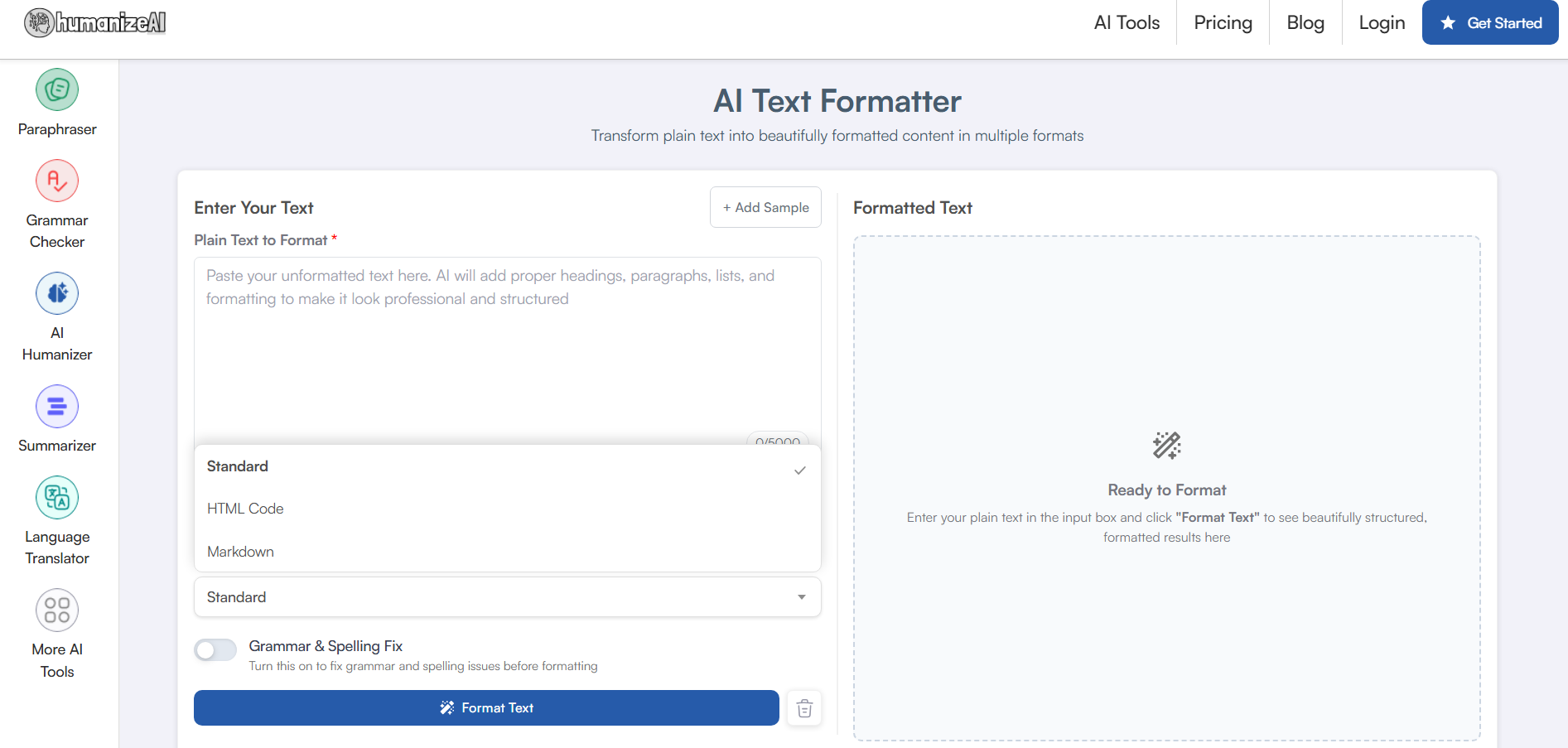
Step 1: Click on the link: https://www.humanizeai.io/tool/ai-text-formatter
There is no extension or added downloads for you to use Humanize AI’s text formatter. Simply click on the link and paste it directly into the dashboard.
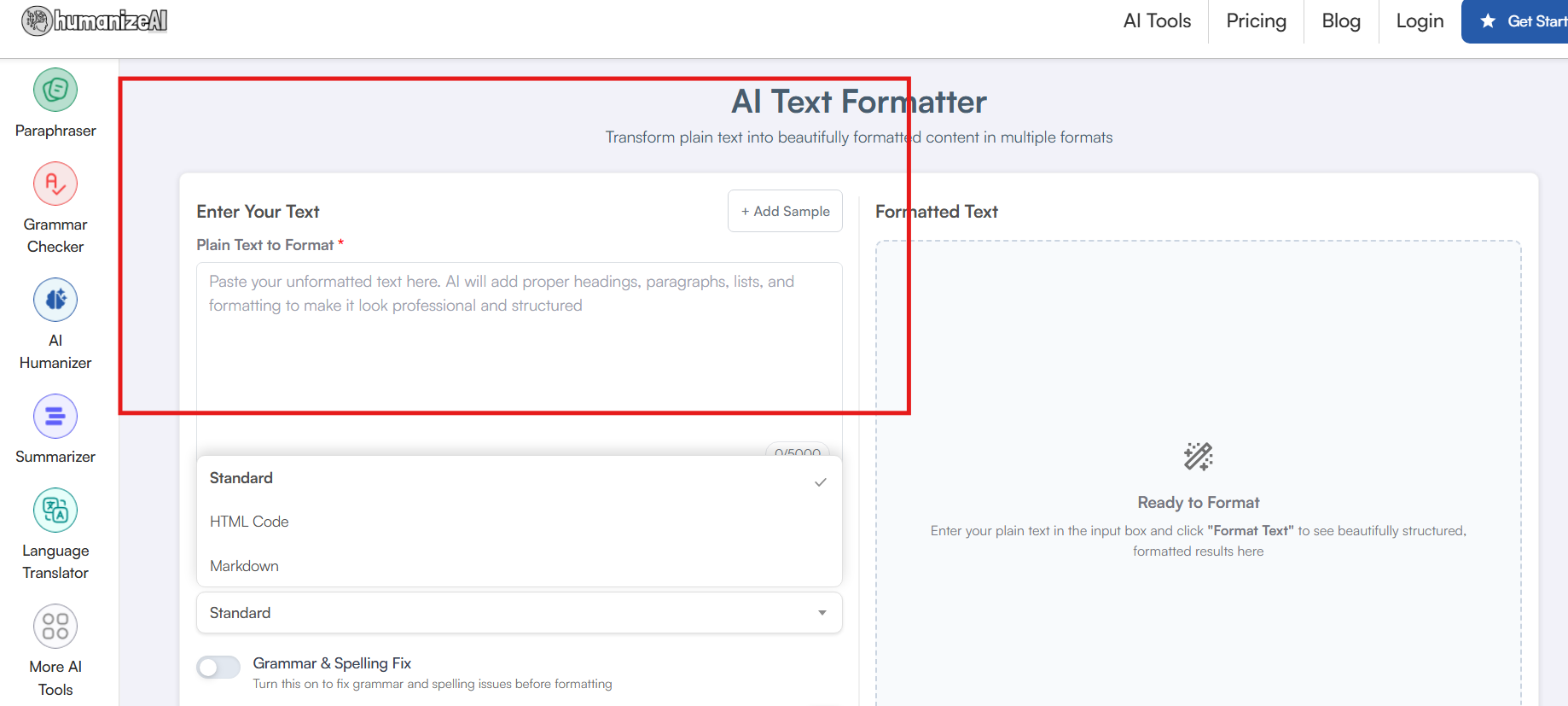
➡️Let us take a random ChatGPT prompt and see how the free online text formatter by Humanize AI does its job.
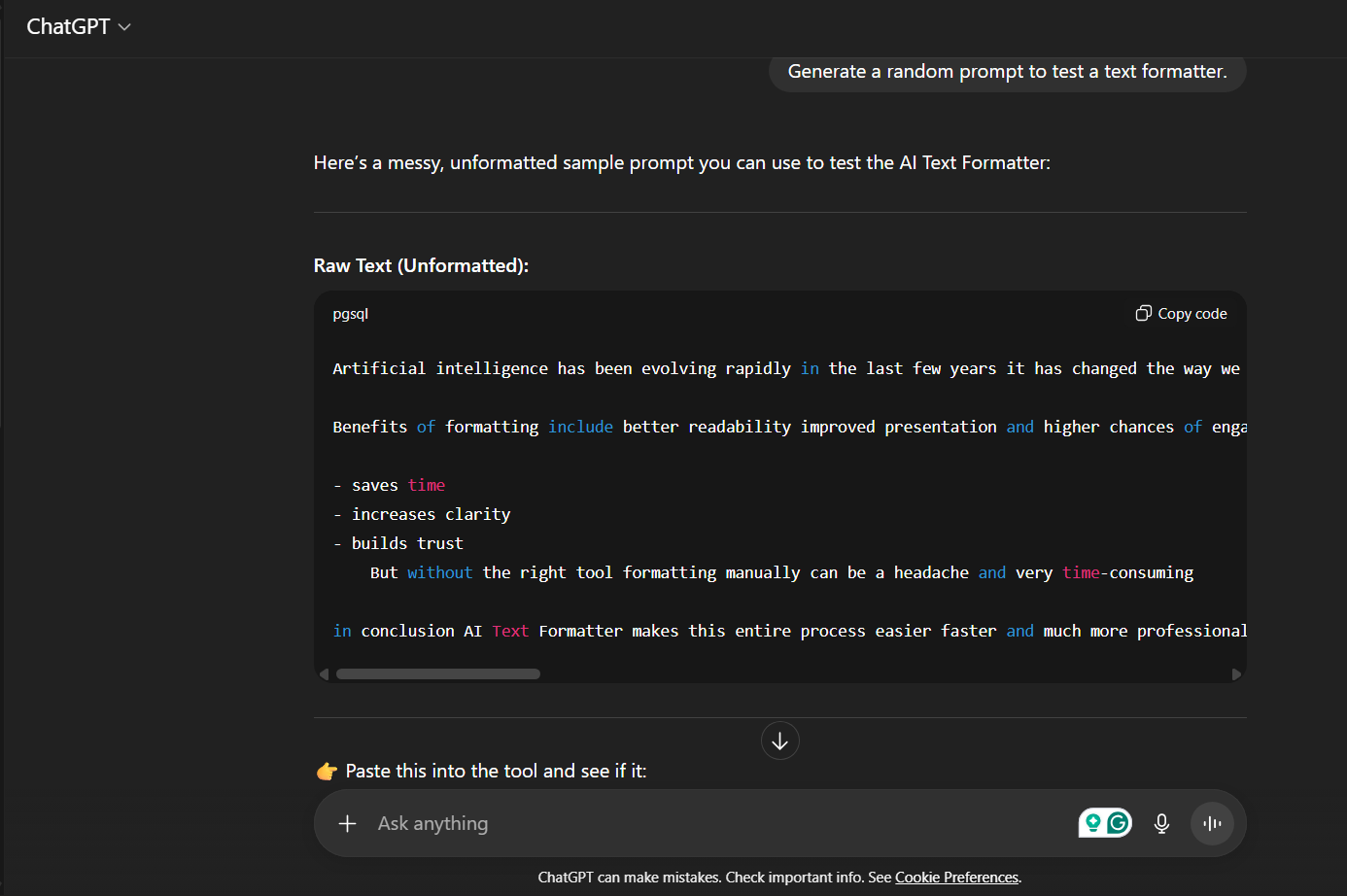
Step 2: Style Options
Now that we have our prompt ready, which is deliberately messy, let's begin our steps and see how exactly the AI Text Formatter fares.
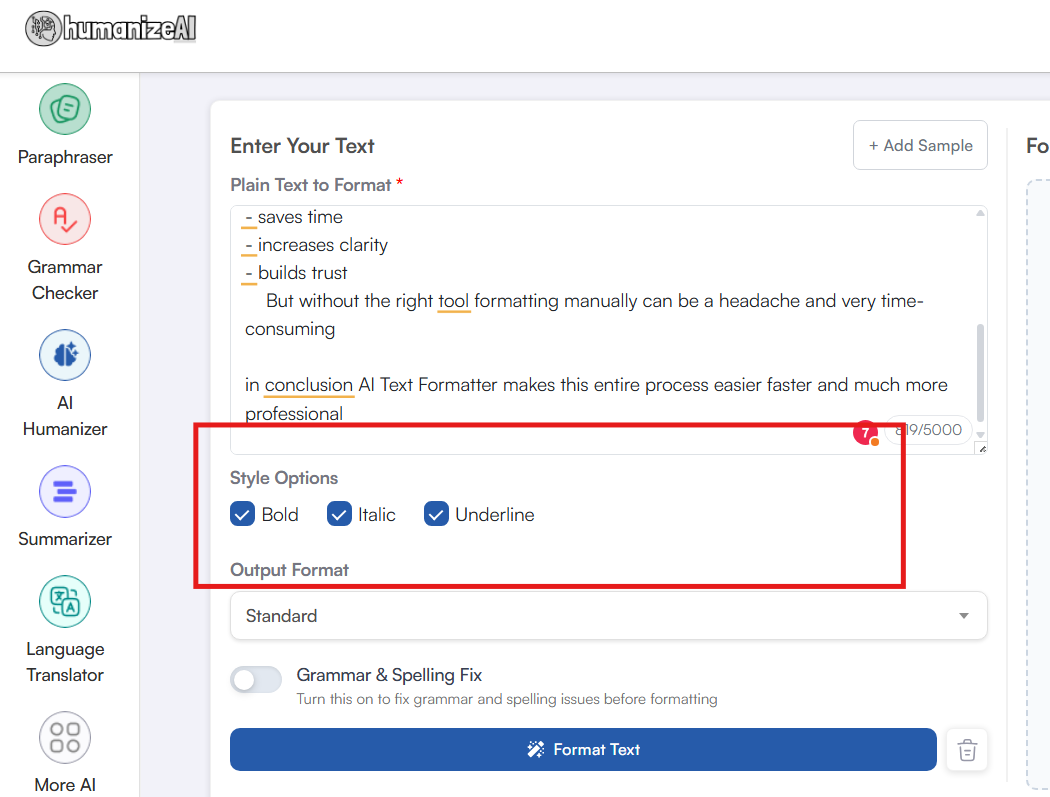
For the next step, all you have to do is paste your content, or in this case, our generated prompt, and set the specifications. Choose from Bold, Italic, and Underline from the Style Option button as per your submission needs.
Step 3: Output Format
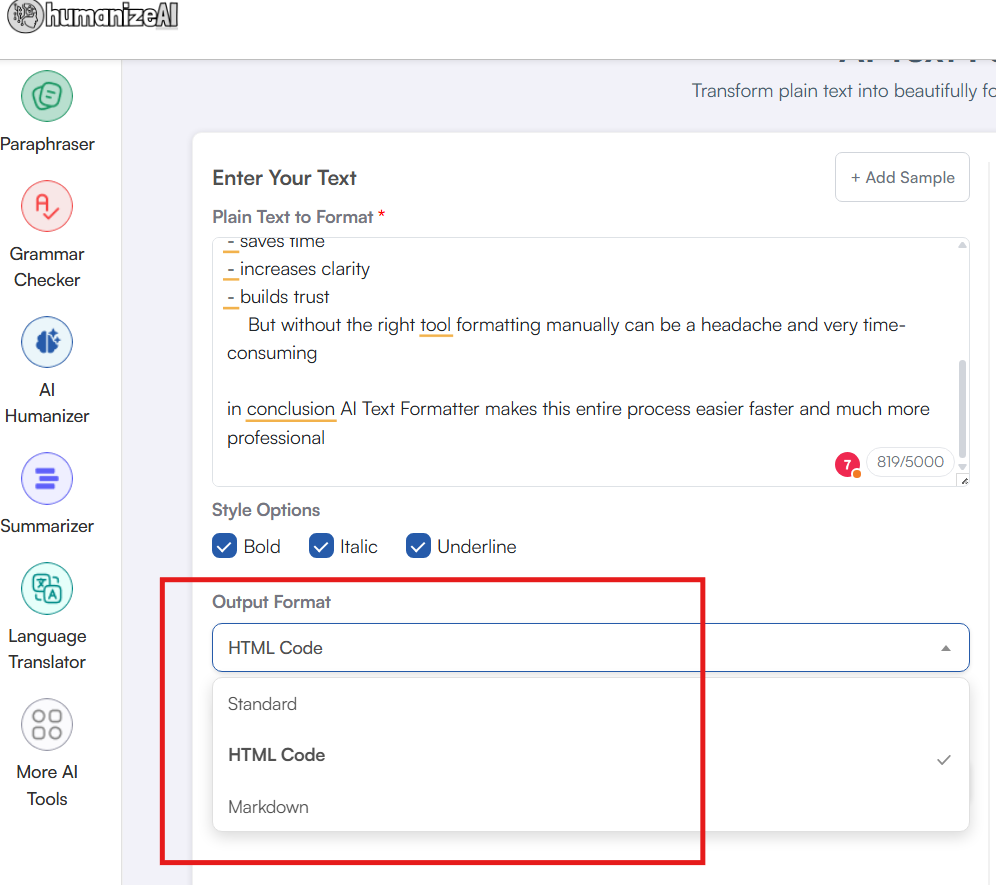
Our tool understands that you may have formatting needs that go beyond simple text. Hence, with our free online AI-powered text formatter, you get 3 dedicated output formats, namely:
- Standard,
- HTML Code and
- Markdown.
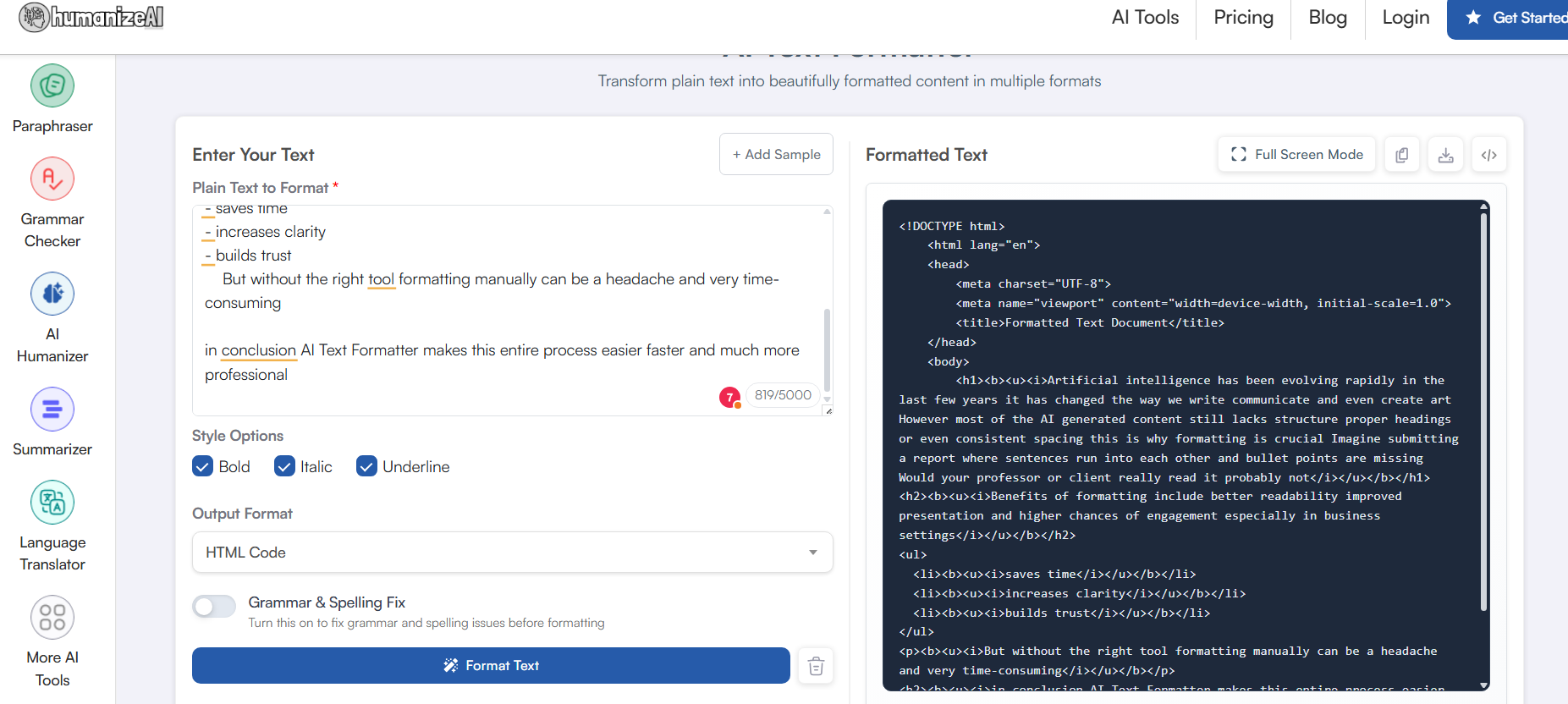
However, the best part of all this is that you can use the three modes simultaneously with the same content without any hassle. I have clicked on the HTML option for you to have a better understanding of this setup.
| Quick Fact: Our text formatter supports over 25 languages and formats your text effortlessly, ensuring clarity and immaculate presentation. |
Step 4 (Optional / Bonus Step): Grammar and Spelling Fix
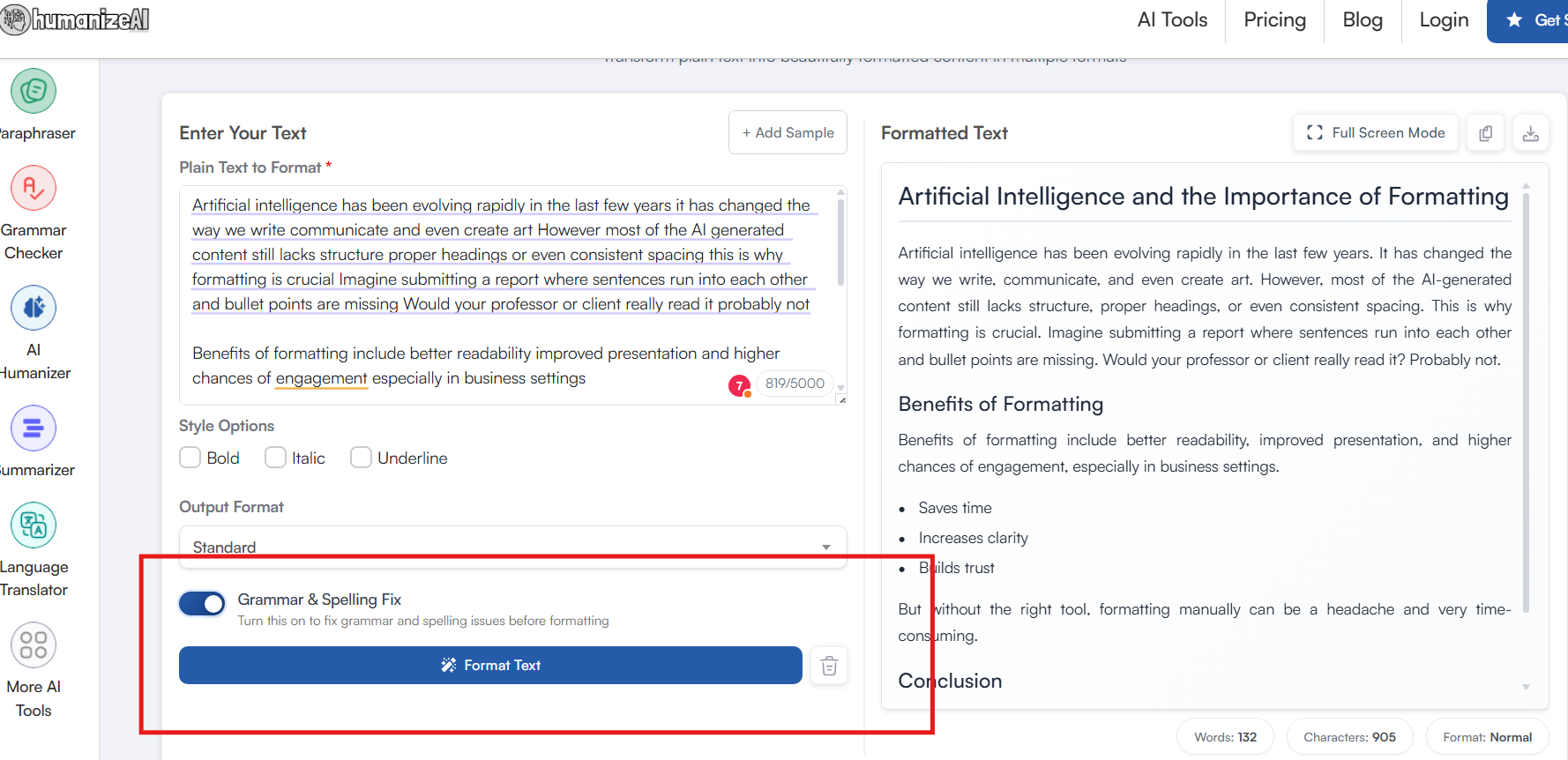
We believe in perfection for your submissions, so we added a bonus step. You can toggle between the Grammar and Spelling Fix buttons for our tool to take a quick look. Instantly get rid of awkward phrasing, misspelled words, and tiny grammatical errors that disrupt the flow.
Step 5: Format Text
The final and effortless step of the process. The moment you click on the Format Text button, you get instantly formatted text in a matter of seconds. There are no complicated signup plans, no extensions, and no payment barriers.
All it takes is four simple steps and maybe a second or two, and you get submission-ready content for free in more than 25 languages.
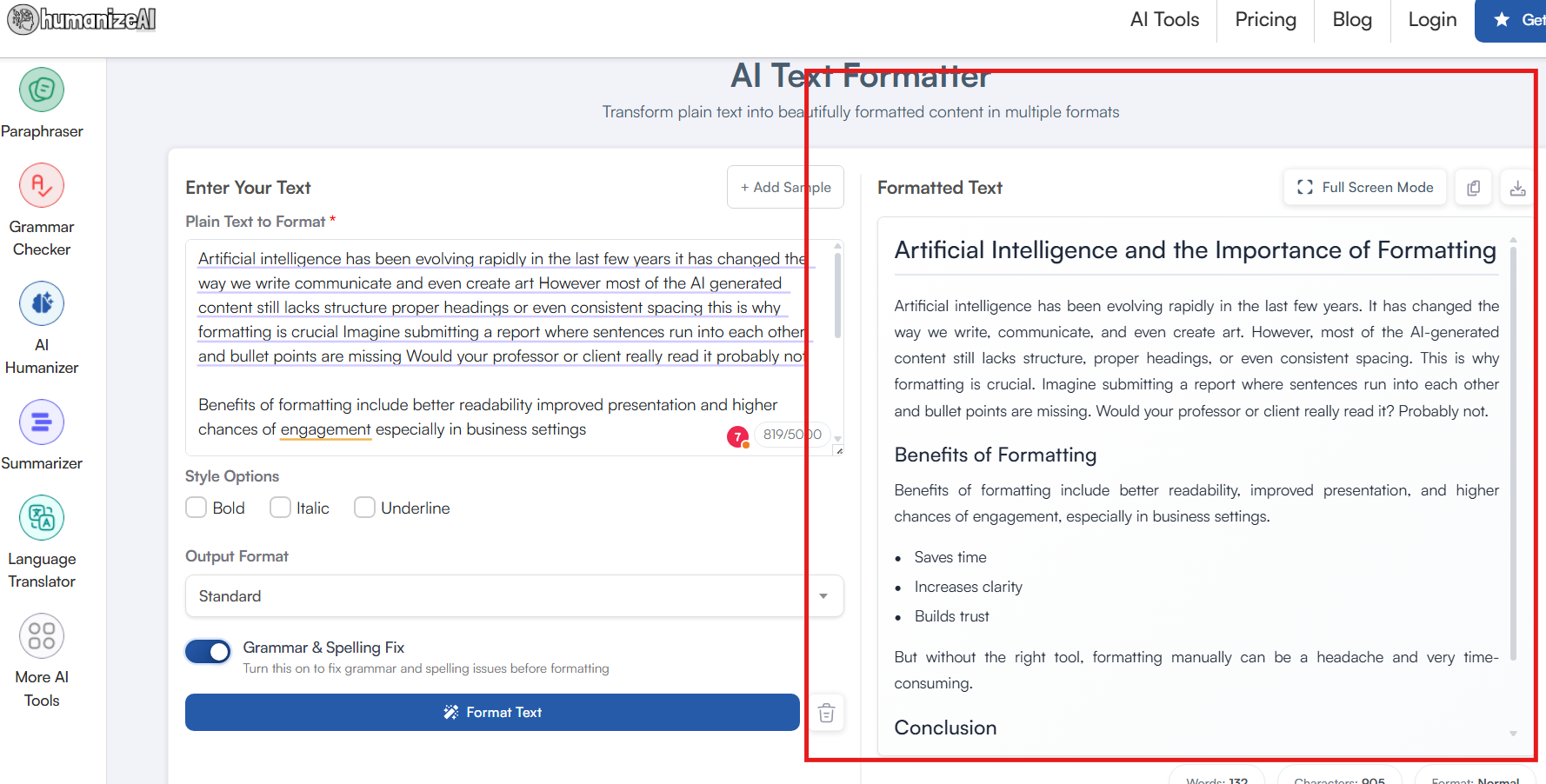
Step 6: Download as DOCX or Copy Formatted Text
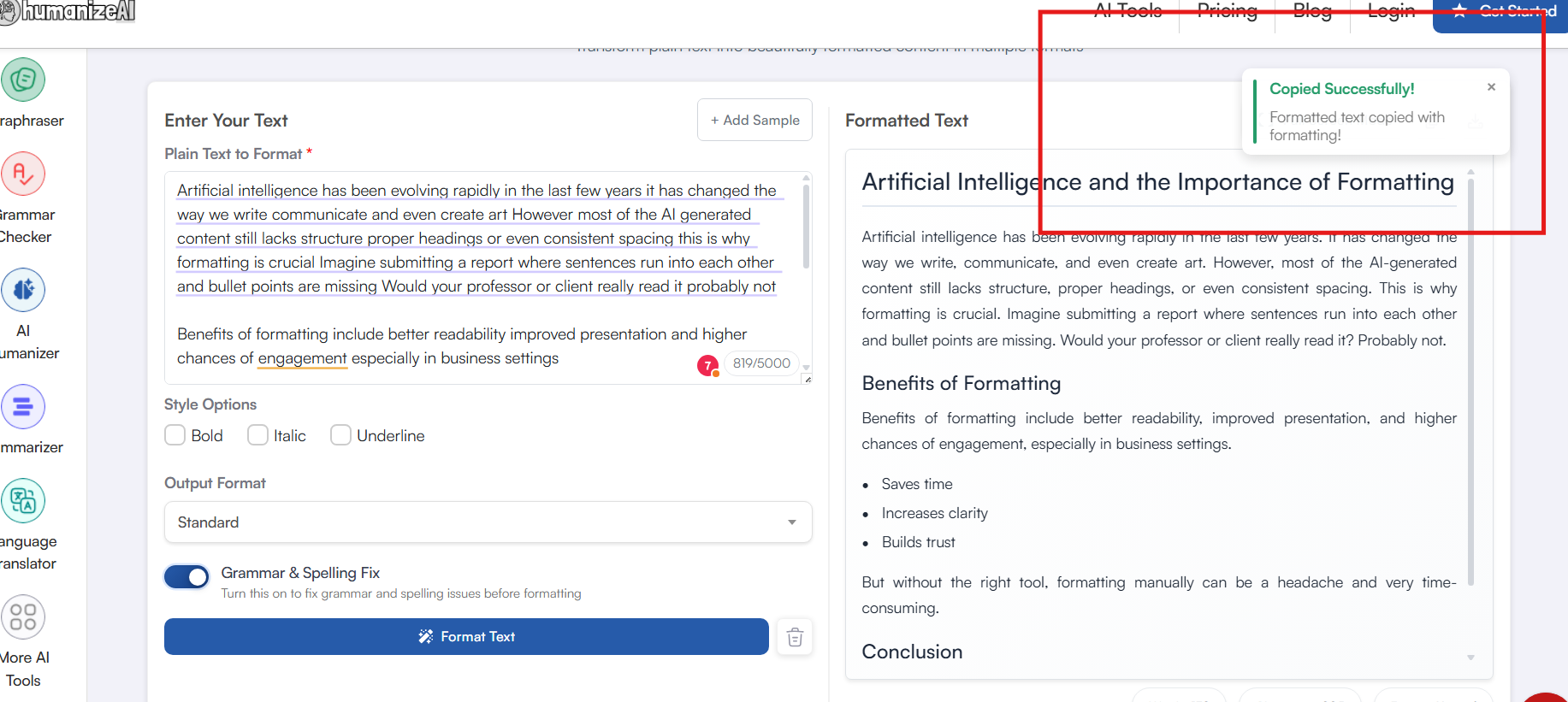
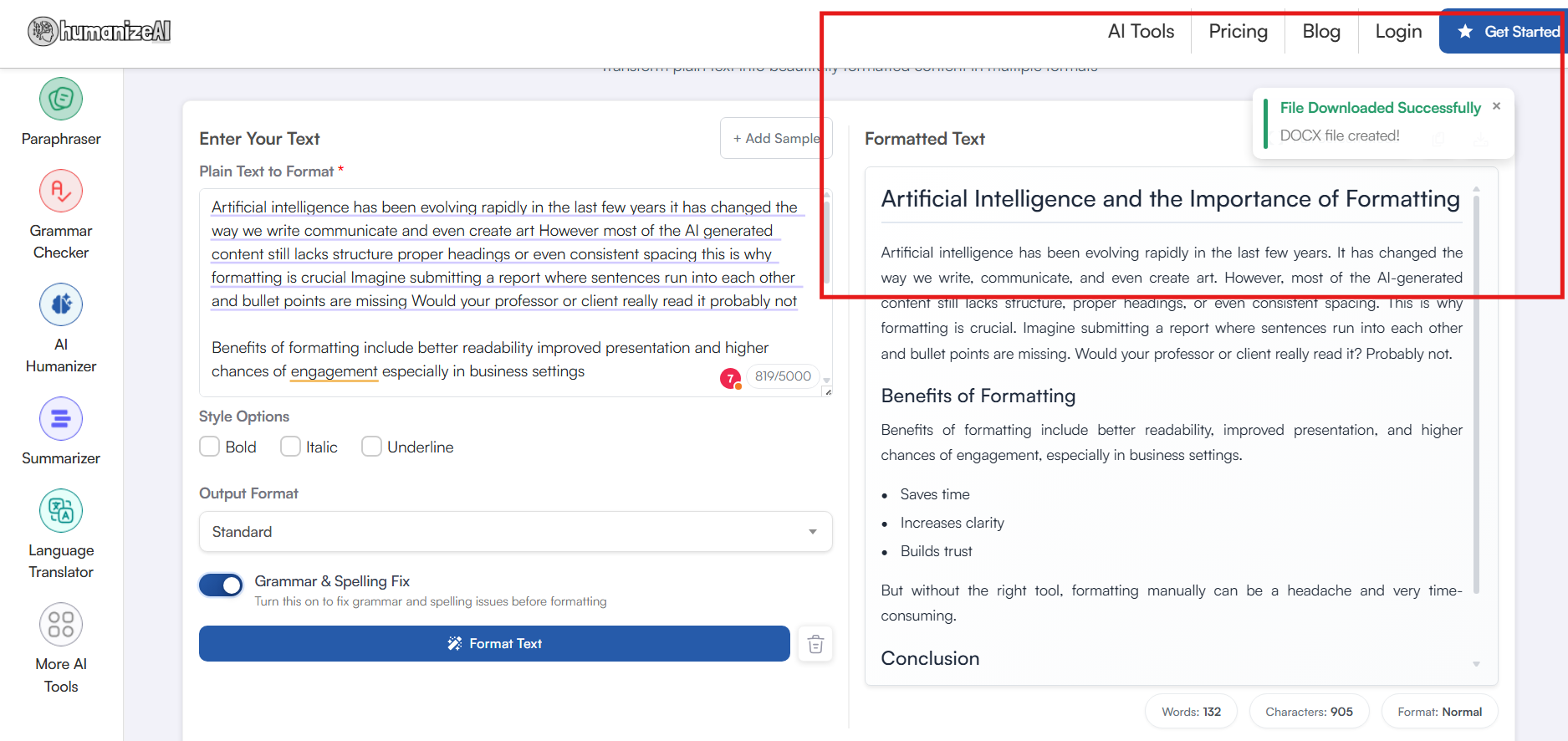
You have full ease of access when you use our free AI Text Formatter. Once you analyze the results and your formatting session is complete, you can directly copy and paste your content. If not, we also have a dedicated download button that will make things easier for you.
Benefits of Formatting AI Text with Our Tool
We know that a tool with an easy, user-friendly interface is what matters the most, but we wanted to give you more. Every writer, researcher, and marketer deserves a setup that understands the depth of the content it is working with.
With our free online AI text formatter, you will find that there are no unnatural line breaks and, most importantly, no misplaced sentences. It offers professional readability to the highest extent and also takes care of:
- Saves time vs. manual formatting: Imagine going through every sentence of the work to pinpoint one missed comma or a line that has an extra space. You will get worn out in a minute or two.
- Works across multiple document types (essays, blogs, code, etc.): Whether you are a student fixing an assignment, a blogger perfecting a draft, or a developer formatting snippets, our tool adapts to your needs. No more worrying about formatting rules, as our tool takes care of it all.
- Get multilingual assistance: Format, edit, and sharpen your presentation in more than 25 languages in just one simple click.
- Boosts professionalism and credibility: With our tool, you keep up your commitment to attention to detail. Whether it’s a client proposal, a research paper, or a published article, you assert your dominance by presenting an article that is accurate and reads immaculately.
- Free and easy to use: One of the few tools in the market that comes with no hidden charges or pressure to sign up for a premium plan. Our online AI detector is completely free to use with no limit on your sessions.
Final Thoughts: From Raw AI Draft to Polished Copy
One might think an AI text formatter is a far-fetched commitment, unless they have a rejected document and can't figure out the issue. In today's time, presentation and consistency get the highest rewards. That's why if you wish to stay ahead of the crowd, not only does your content need to be accurate and precise, but your presentation should be as well.
This is why Humanize AI's text formatter is designed to make sure your essays, blogs, professional reports, and code are never broken, inconsistent, or without structure. It's a versatile tool designed for students, content writers, professionals, and developers who are running on a time crunch and have a deadline due.
But apart from all these extra advanced features, the best part about our tool is that it is free and easy to use. We wanted to accommodate and give all our users across the world a sense of control and freedom, hence we eliminated every possible restriction.
Work seamlessly in over 25 languages with no limits, no time restrictions, no hidden charges, and no premium plans in an easy interface. That too for FREE!
FAQ
How much does HumanizeAI.io’s Text Formatter premium plan cost?
Humanize AI’s Text Formatter is completely free to use. There are no premium plans, hidden charges, time limits, or restrictions on live sessions. You can format text as often as you like without any limitations.
Can the Text Formatter work in languages other than English?
Our free online text formatter supports over 25 languages for you to work with. Hence, you can format texts with the same accuracy and precision as in English, all in one setup, without any downloads or extensions.
How does Humanize AI’s Text Formatter work?
With Humanize AI’s AI powered text formatter, all you need to do is paste your text into the editor and that is it. There are no elaborate prompts or detailed workflow. Simply choose your formatting style and format and click on Format Text. Moreover, you can also opt for quick grammar refinements with just a toggle.
Who can benefit from using an AI Text Formatter?
Students, researchers, bloggers, marketers, professionals, and anyone dealing with a large bulk of texts, generating texts, or emails can benefit from our AI-powered free online text formatter. It works smoothly with academic papers, business proposals, and blog drafts, ensuring that you always deliver the most polished presentation or submission. Not only that, it helps you maintain your credibility and accountability in any given setting in just a few clicks.