
Broken paragraphs, weird spacings misplaced lines, we have all been there. Sometimes it takes an additional hour to fix all this damage while maintaining the creative flow. This is why we trusted AI to do it for us. But even then, there were challenges.
Some tools needed detailed prompts, some elaborate descriptions, and others had a complicated interface. Read along as we sort all this out as we try the top free AI text formatters for 2026. 💬
What To Look For Before Choosing An AI Text Formatter
To begin with, yes, text formatting is critical even for your blogs, especially with AI overviews now ruling search. The thing is, it is not only we humans who like a structured report or a bulleted argument in a paper.
AI also prefers bullet points, headers, and numbering since skimming information becomes easier. Now, if you wish to rank on Google or say pass that submission, formatting is non-negotiable. This is why you have to be extra careful when you choose your AI text formatter, which can look like:
- Instant Fixes: Can it fix all the spacing, paragraphs, headings, and lists with one click, or does it need multiple manual edits?
- Doesn’t hurt the content: Does it format the given text without changing the meaning or voice of what is being written?
- Low effort: It works without elaborate prompt engineering or any high-end setup.
- Reliable for repeat use: Can be used daily without any downloads, extensions, or other interruptions.
The easiest way to find the best tool for yourself is to set a particular standard and understand the non-negotiables. This is how you not only assess the generated results fairly but also understand what each tool offers.
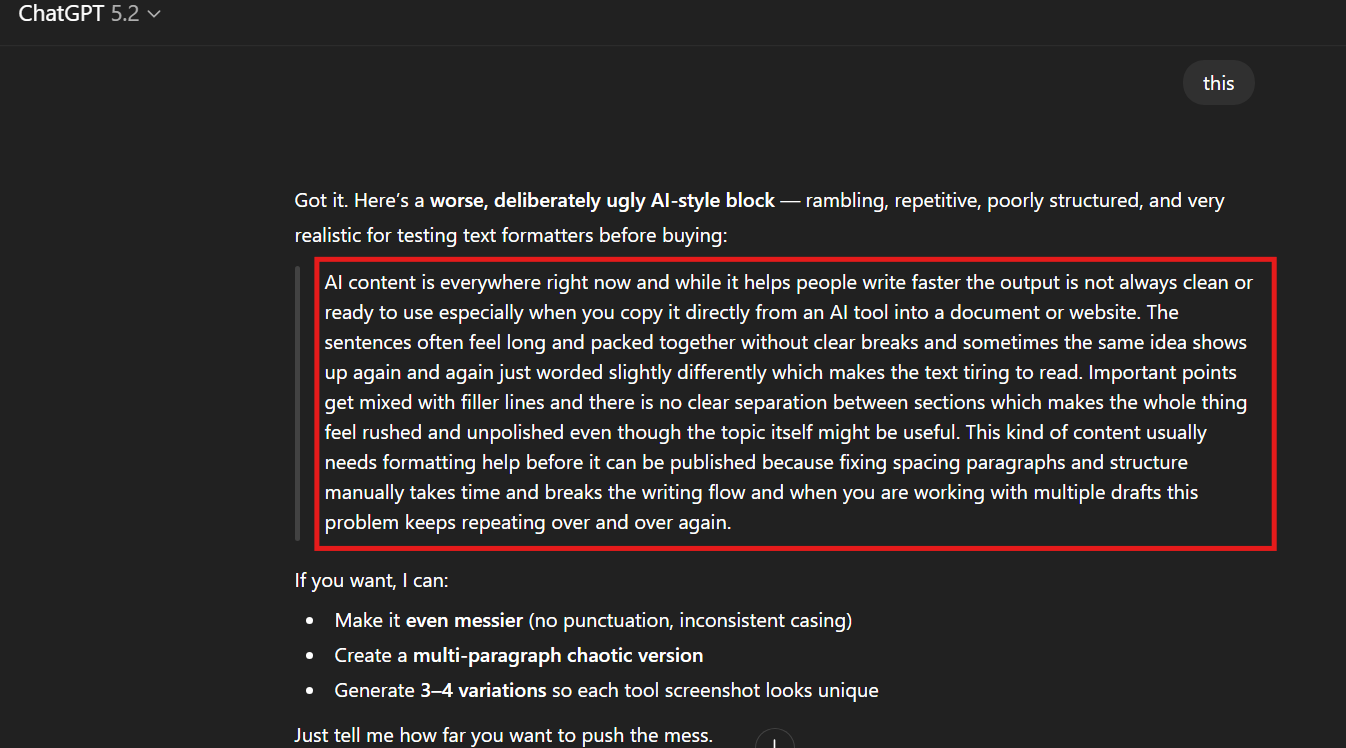
For us, it was simply about testing each tool in real time. That is why we relied on ChatGPT to generate a passage for us, and this is what it looked like when we ran it through each tool:
Top AI Text Formatters For 2026
Before we begin, a quick heads-up: we used each tool in its standard version, and all screenshots are from the first attempt. There were no manual edits, and everything presented reflects our real-time opinion as users.
1. AI Text Formatter by HumanizeAI.io
A formatter designed for speed and structure, AI Text Formatter by HumanizeAI.io instantly formats your text. It identifies broken paragraphs and spacing issues, and using it feels like giving your text a makeover. The best part? It even provides a choice to fix your grammar and spelling. All this without disturbing the intended meaning of your content or any extra manual edits.
Features
- You can instantly get to work with the AI Text Formatter by HumanizeAI.io as it requires no sign-ins, no added downloads, and no stress of creating a profile.
- As a user, you don’t have to worry if you know nothing about prompts, as all it needs is a quick copy and paste, and that’s it.
- It allows a word limit of upto 10,000 words and can work on any kind of content.
- You get three dedicated style options like Bold, Italic, and Underline, for every session with one simple toggle.
- It offers three dedicated output formats, and you can generate your results in Standard, HTML, and Markdown.
| 💡 With this smart and highly intuitive tool, you can also choose to edit your grammar and spelling errors if required. |
How it handles AI-generated content
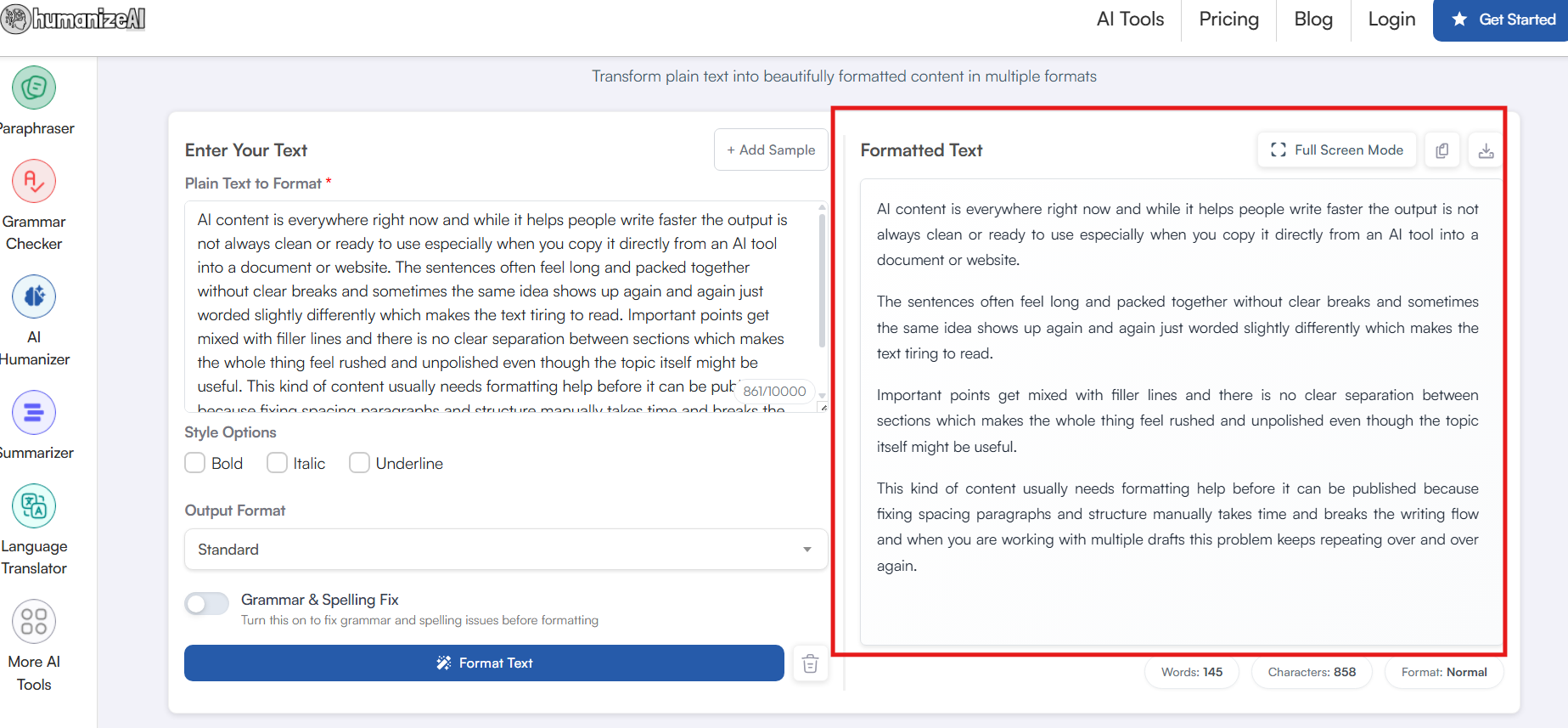
➥ With HumanizeAI.io’s AI text formatter, you get instantly polished paragraphs that identify natural pauses and logical transitions.
➥ The tool only focused on cleaning up the text while making sure that the intended meaning of the text remains intact.
➥ This text formatter doesn’t rely on rewriting the content. But it makes sure it makes it look good, organised, and more systematic. The best part? You can either download or copy the generated results each time.
2. TextFormatter.ai
An AI text formatter that can keep up with your daily work habits with ease. All you have to do is click on the link and start working. It specialises mainly in visual spacing and clarity, and runs on the simplest interface.
Features
- There is no pause with TextFormatter.ai. You click on the link and jump directly into the main working interface.
- It offers two main dedicated features: one is Format with AI, which does the formatting, and the other is the direct Copy to Clipboard option.
How it handles AI-generated content
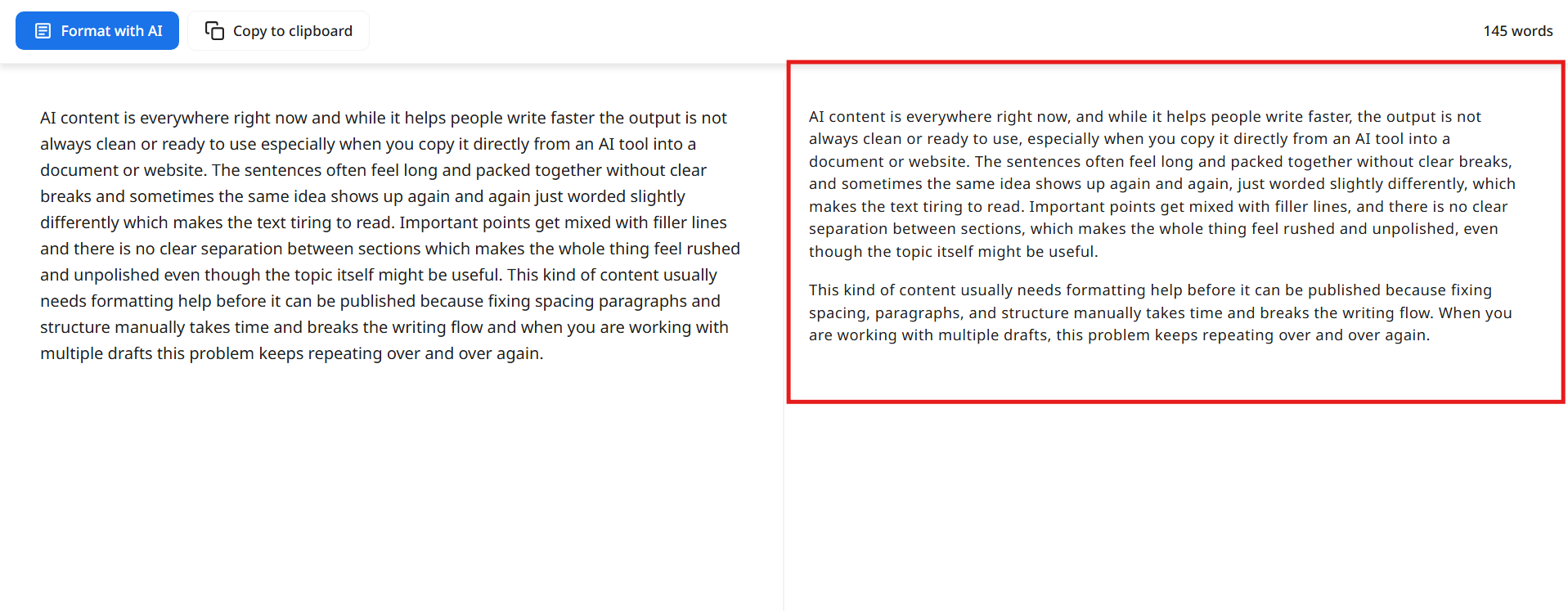
➥ The generated results are honestly a bit disappointing, as all it does is split the text into two paragraphs.
➥ However, it does maintain the original tone and wording without rewriting the original content.
➥ It can be of great help for a quick cleanup instead of detailed structural formatting.
3. AI Text Formatter by HyperWrite
With HyperWrite AI, you need an extra step before you can start writing. It needs you to create a profile and sign in before it converts your text. However, thankfully, there are no extra downloads or the need for a browser extension. All you need are a few quick steps guided by navigational banners, which makes up for the delay.
Features
- It doesn’t have a list of pinpointed features, but it is a complete AI setup in itself. You have to guide it with dedicated prompts to generate the results.
- Reusing the tool for a second attempt is a bit confusing, as you have to exit the window or guide it afresh with a prompt.
- However, the lack of distinctive features and a proper structure is compensated for by the tool with a simple interface backed by an easy copy and paste option.
How it handles AI-generated content
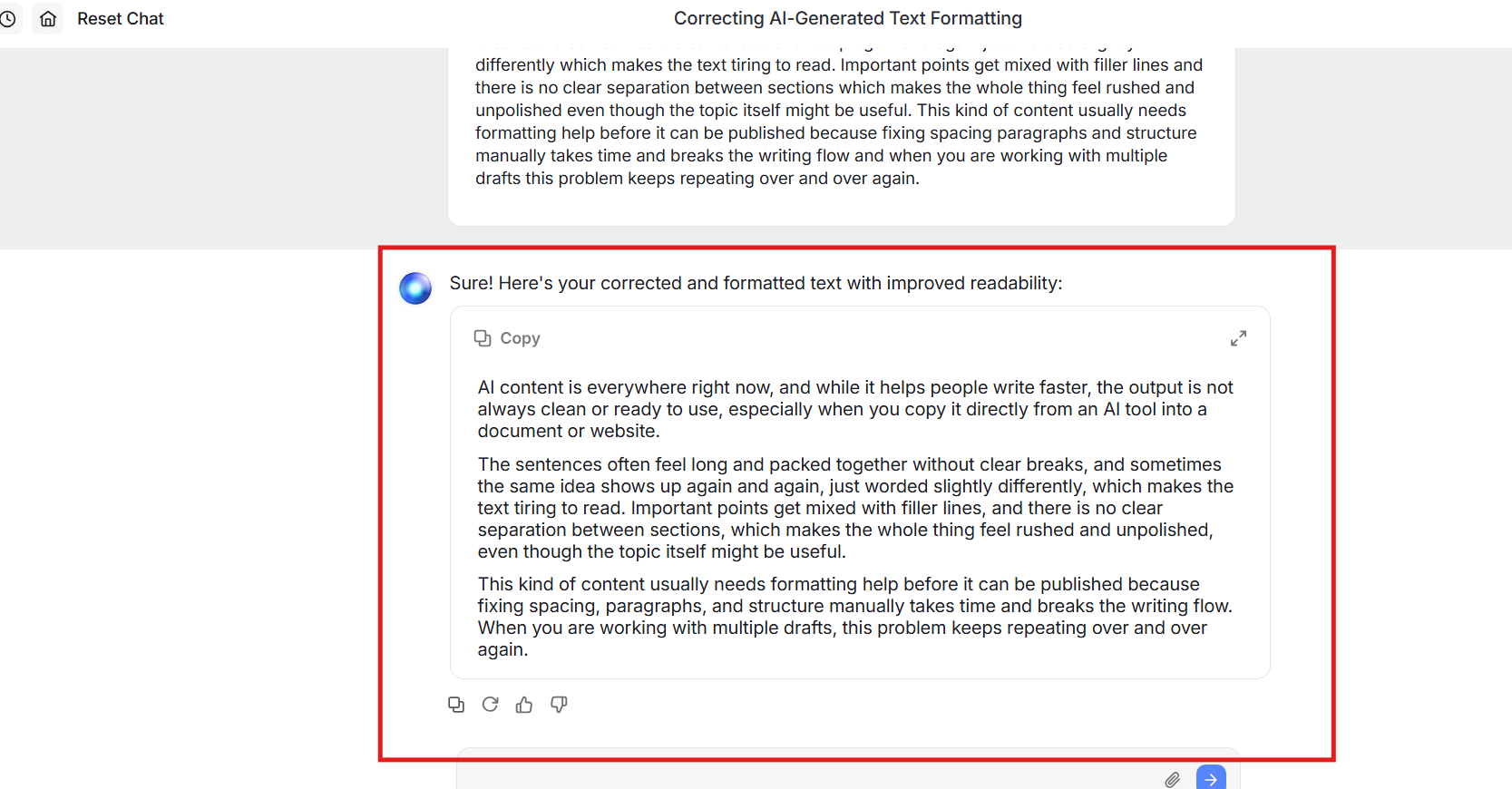
➥ Applies a more structured, editorial-style layout for the ChatGPT-generated text.
➥ For some users, it might feel like more of a mechanical formatting as compared to being context-aware.
➥The long sections are divided evenly, not strategically. The overall process feels somewhat complicated and confusing, and it often requires a lot of back and forth.
4. Slite
Working with Slite is fun as it has an intuitive animation that makes this strenuous process fun. Moreover, it needs no sign-ins, no account setup, or any other extra mandatory steps. The best part is that there is no delay, and you can get straight to work with a simple copy and paste.
Features
- The tool doesn’t have any elaborate features to focus on. It simply operates on a copy-and-paste system, and that is it.
- The output relies heavily on bullet points and subparagraphs, which can be a drawback for users looking for more flexible or versatile formatting options.
- However, if you wish, you can work with the text further by signing in with a profile and following the steps accordingly.
How it handles AI-generated content
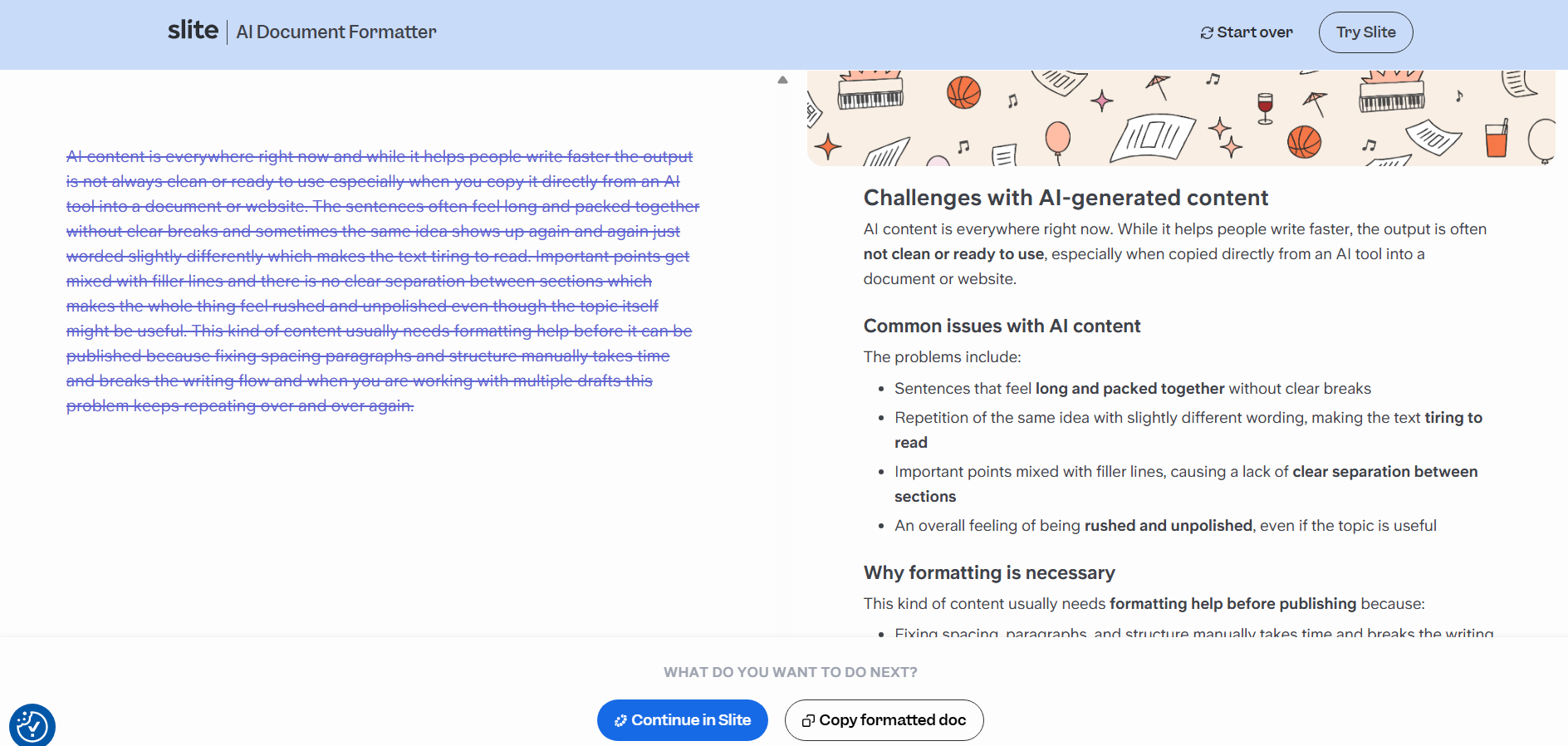
➥ Slite breaks down the ChatGPT text into clearly defined sections and bullet points.
➥ However, the restructuring follows a fixed pattern, with long sections divided evenly rather than strategically. Moreover, it needs manual edits if you are looking at a different formatting style or publication.
What We Learned After Testing These AI Text Formatters
First of all, the availability of AI text formatters in the market is still very limited. There are only a handful of tools that actually promise to take an entire piece of content and format it properly. This is exactly why we had to be extra careful as we tested each tool to be labelled as a “text formatter”.
Secondly, after running the same input through multiple text formatters, one thing became very clear: not all formatting tools follow the same approach when it comes to structuring content.
This is what we observed:
- Most tools promise cleaner output, but the actual results are quite different from what we picture them to be.
- Some tools focus only on surface-level cleanup, such as fixing spacing or breaking text into a small number of paragraphs.
- Others rely heavily on bullet points or subparagraphs, which may not always suit every formatting need.
- Then there are also tools that depend on elaborate sign-in processes, profile creation, and multiple steps, where most of the effort goes into setup rather than the final output.
This is why, when you are choosing or relying on an AI text formatter, remember the main goal. It is about a setup that makes good formatting feel invisible.
The moment you rely on a tool to format your text, it should focus not only on structure but also on flow. The output should feel organic, thoughtfully edited, and precise. Most importantly, the tool should also be flexible so that it can accommodate various formatting needs.
Why Text Formatting Matters Now In The Age of AI Overviews
Text formatting is something that has now become non-negotiable, not only for researchers or students, but also for marketers and writers. With AI Overviews becoming increasingly dominant, the structure and look of the content have become an important signal for ranking and visibility.
The thing is, AI systems rely heavily on paragraphs, logical flow, headings, and spacing to understand what exactly is going on. In other words, content that lacks structure, no matter how well written, will always be at risk of being poorly interpreted or even skipped by AI.
This became even more evident as we tested all these tools and realised how AI-generated content actually looks in practice. Moreover, how important it is important to have surface-level cleanup that does not mess with the content, but still gives it an overall structure and flow.
That is why choosing the right text formatter is no longer optional. It can directly affect how your content performs and how your vision is reflected to your users.
Final Takeaway
Lastly, here is a quick look at the tools side by side to help you understand how they go beyond surface-level formatting or fixed structures. You will notice that with HumanizeAI.io’s Text Formatter, it goes beyond just breaking the text into paragraphs or adding punctuation. It is about rewarding with clarity in structure, preserving its meaning, and also ensuring an easy user experience.
| Tool Name | Paragraph & Spacing Fixes | Meaning Preservation | Grammar & Spelling Support | Prompt Dependency |
| HumanizeAI.io – AI Text Formatter | Advanced, one-click cleanup | Fully preserved | ✅ Yes (Optional) | Zero prompts needed |
| TextFormatter.ai | Basic paragraph splits | Preserved | ❌ | Zero prompts |
| HyperWrite – AI Text Formatter | Structured but rigid | Partially preserved | ❌ | Prompt-heavy |
| Slite | Clean but fixed patterns | Slight restructuring | ❌ | Zero prompts |