

In the world of AI overviews and AI search tools, your FAQs can be the turning point of your content strategy. All it takes is one question for you to be cited by AI, or for your users to trust you instantly.
However, writing FAQs can be challenging. There are multiple factors at play, such as context, SEO, asking the right question, and so on. This is why it is necessary to cross-check the tool you rely on with absolute precision.
Read along as we list the top 5 FAQ generators for 2026 and see what features and ease of access they bring to the table. But before that, a quick look at a few basics.
What Is An FAQ Generator?
An FAQ Generator is a dedicated tool that uses artificial intelligence to generate instant questions for a given topic. It is usually contextual, accurate, and also keeps up with SEO guidelines. An ideal FAQ Generator can:
- Aligns the questions with the search intent and can navigate well with any kind of query.
- Generate instant FAQs that are correct and contextual.
- Doesn’t require elaborate prompts or detailed descriptions for generating results.
- Offers a variety with tone and languages to include every type of user.
Why Do You Need An FAQ Generator?
To begin with, when written keeping the structure in mind, FAQs can be the easiest content format for the AI search tools to extract, summarize, and cite directly. Secondly, it gives your users or readers a quick insight into your product without overwhelming them with information.
- You get to align your content with the user search intent.
- FAQs make sure your users don’t have to depend on guesswork to know more about your product.
- Saves you a significant amount of time and effort as you get instant FAQs for any given topic.
- Strengthens topical authority by covering related questions.
- Increases visibility in zero-click searches, featured snippets, and AI-generated summaries even when your pages struggle to rank.
Now that we know why you need an FAQ generator, let us analyze the top available options and how they can help.
Top FAQ Generators For 2026
To understand how each tool works and its dedicated features that make things easier for us, we decided to try each of them. We decided on the topic “Is AI-generated content safe for SEO in 2026” and used each tool in its basic version to assess the extent of its capabilities.
This is what it looks like:
1. AI FAQs Generator by HumanizeAI.io
If you think AI tools are all about a complex setup, aggressive prompting, or premium plans, you will be pleasantly surprised. AI FAQs Generator by HumanizeAI.io has the simplest setup with no sign-ins, downloads, or dedicated prompting. All you need is your topic and a few simple clicks, and you are good to go.
Features
- It operates with a simple copy and paste, where all you need to do is simply add your topic.
- The additional steps include explaining your content in any way you want so that it can generate relevant questions.
- The best part is that you can select any tone or language with a simple toggle.
- You can generate up to 10 FAQs for on session with unlimited attempts.
- It offers dedicated buttons to copy the entire output or download it, allowing you to use the results in a way that best fits your writing workflow
Results
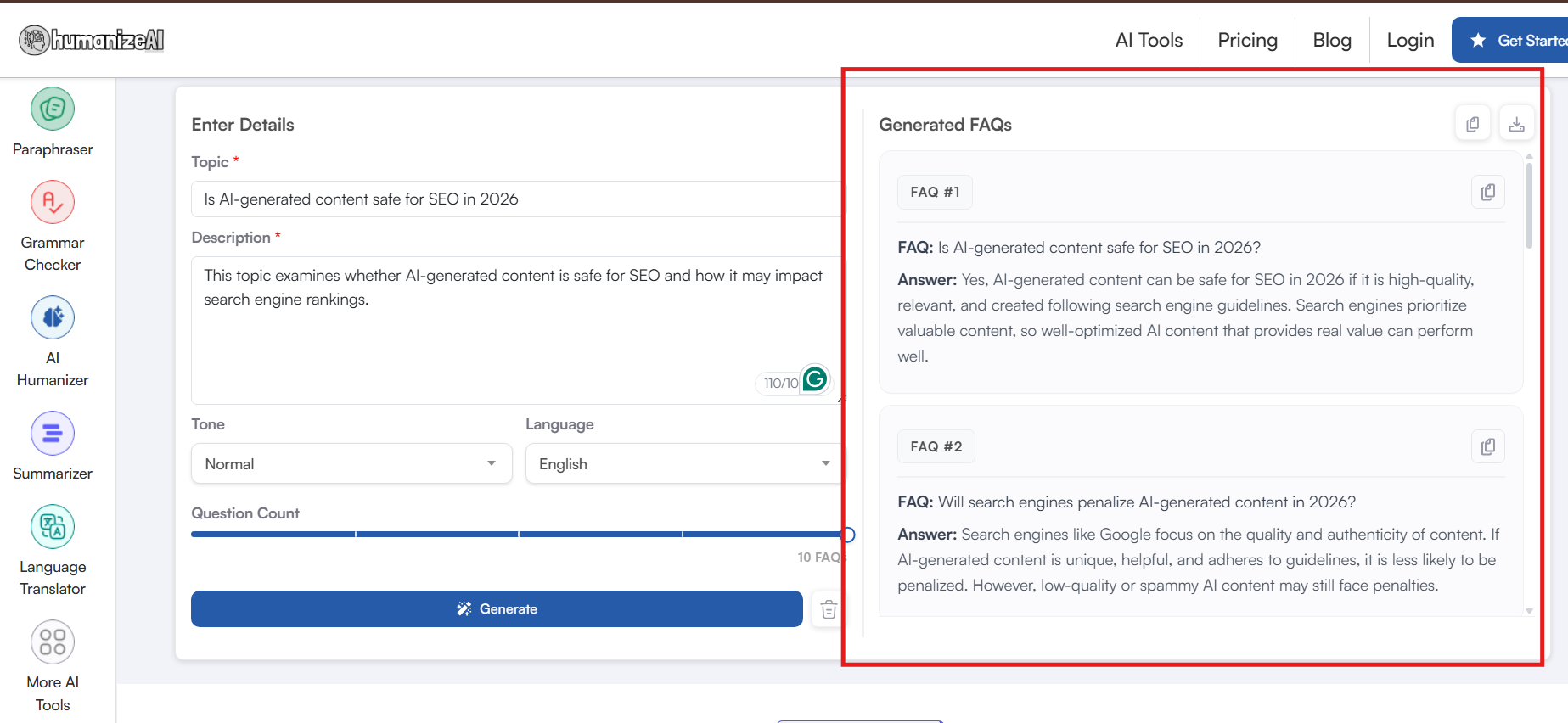
➜✅You get instant contextual FAQs even without any detailed prompts, specific descriptions, and so on.
➜✅Even without a detailed description, it picked up the context easily and generated relevant search intent-oriented FAQs in seconds.
➜✅Operating the setup even as a first-time user is fairly easy, smooth, and requires no added navigational banners or downloads.
Pricing: The AI FAQs Generator by HumanizeAI.io is free to use with unlimited attempts in multiple languages.
2. FAQs Generator by Originality.ai
Another hassle-free setup that loads directly into the tool itself. The FAQs Generator by Originality.ai also relies on quick inputs and smart features instead of detailed descriptions and elaborate prompts. Moreover, it also lets you add the link to your website where you wish to generate FAQs and proceed accordingly.
Features
- All you need to do is type in the topic or copy and paste the link, and you are ready to generate the FAQs.
- However, you will feel a bit restricted since it is not really flexible when it comes to adding customised features.
- It also supports multiple languages and allows you to set the tone for the entire FAQ set with a single toggle.
- With the FAQs Generator by Originality.ai, you can set up to 8 FAQs in one session.
Results
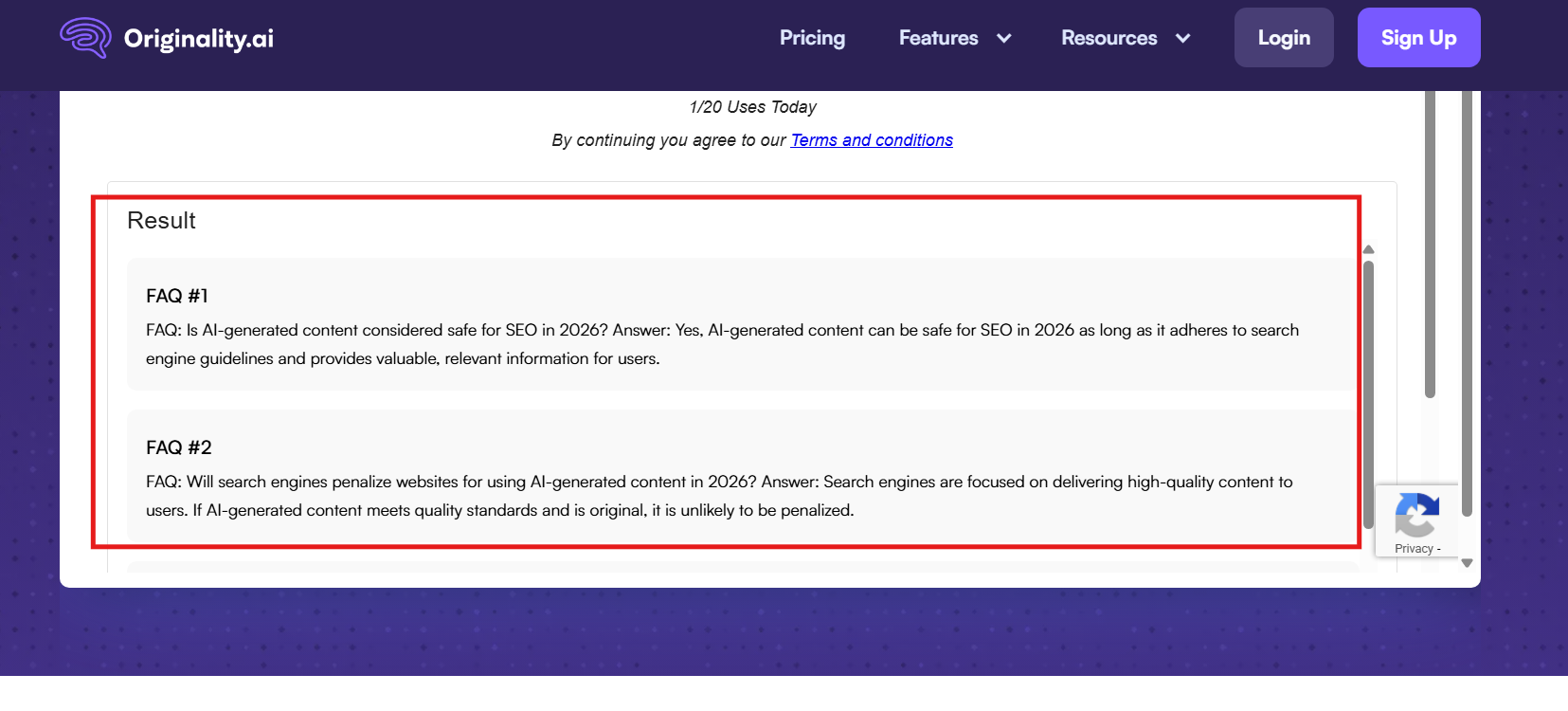
➜ The generated answers might need manual edits for some users since it barely elaborates on each point.
➜ Since there is no provision to add personalized descriptions, the generated FAQs are generic and feel like they have been copied directly from a template.
➜ You only get 20 free uses per day with this intuitive and smart FAQ Generator.
Pricing: It has three dedicated plans, which include:
- Pay as you go: $30 as a one-time payment
- Pro: $12.95/month
- Enterprise: $136.58/month
3. AI FAQ Generator by SiteGPT
A simple and basic setup that only needs a few quick clicks. SiteGPT is another popular name on this list. It offers a humble setup that operates with simple steps and understands any given topic instantly.
Features
- All it needs is for you to explain your topic in detail in one dedicated section, which allows upto 2000 characters.
- You can generate up to 5 FAQs per session in multiple languages without any downloads or extensions.
- AI FAQ Generator by SiteGPT also allows a quick session and requires no sign-ins or other hassles.
Results
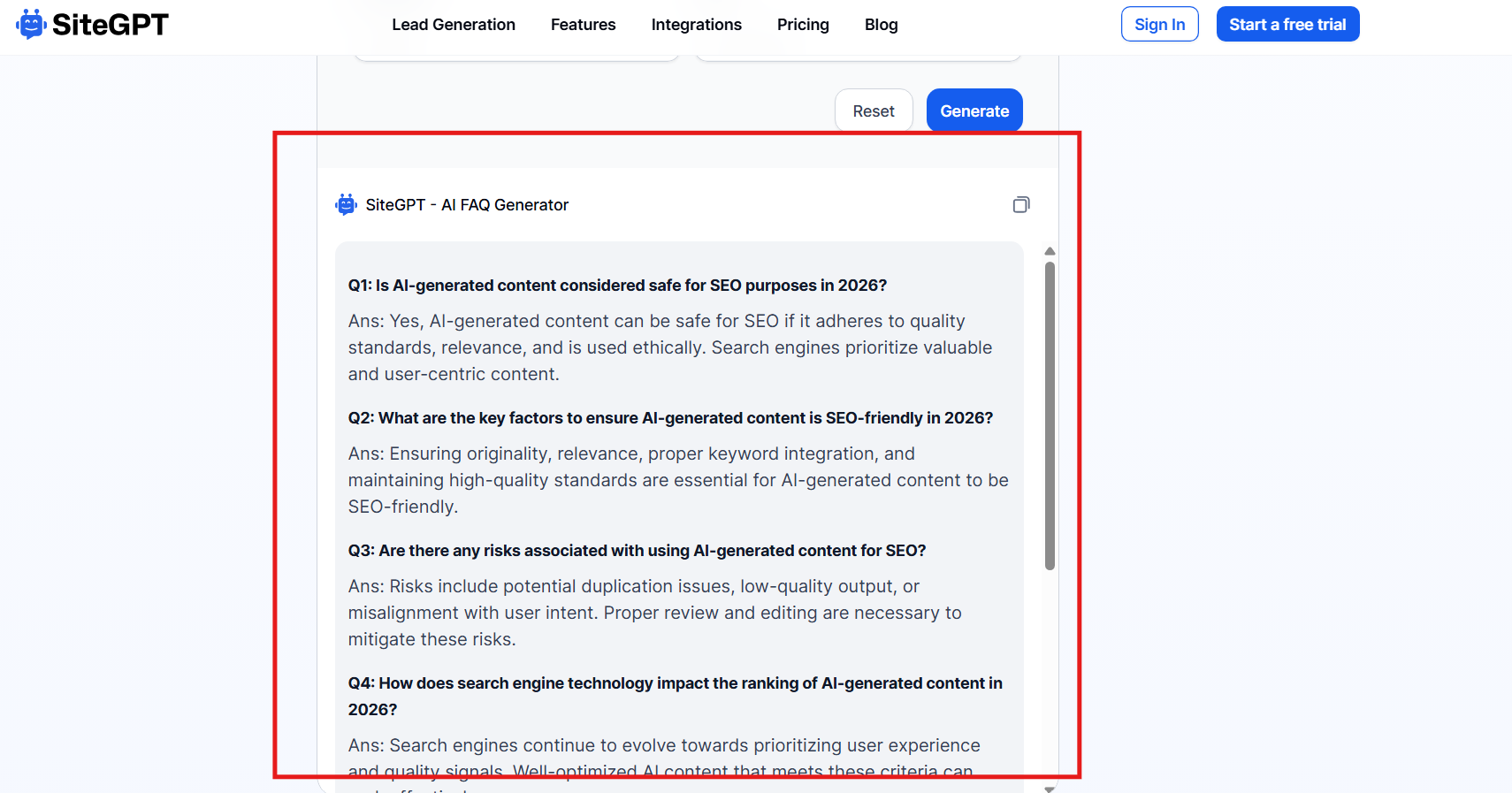
➜ You get straightforward FAQs that stay close to the topic, but the answers tend to be brief and surface-level.
➜ While the questions are relevant, the output feels generic and follows a predictable pattern across all FAQs.
➜ The generated list feels more like a quick copy-paste from a generic template.
Pricing: It operates on four dedicated pricing plans, which include:
- Starter: $39/ month
- Growth: $79/ month
- Scale: $259/ month
- A custom plan depending on your use.
4. AI FAQ Section Generator By QuillBot
Sometimes you don’t need a deep strategic setup or a tool with high-end features. At times, all you need is quiet support that cleans up everything without making it a task. This is what the AI FAQ Section Generator by QuillBot is mainly known for. However, it is mainly dedicated to optimizing your blogs and generating FAQs accordingly.
Features
- The challenge with QuillBot lies in its features because all it allows you is one simple copy and paste before generating the results.
- So, if you are looking for dedicated personalization before the results are generated, QuillBot can be a bit disappointing.
- However, it lets you edit the results and add necessary changes, but in an AI chat format, which can feel a bit structured and tiring for most users.
- Plus, the output usually lacks a clean FAQ layout and might need a few manual edits for most users.
Results
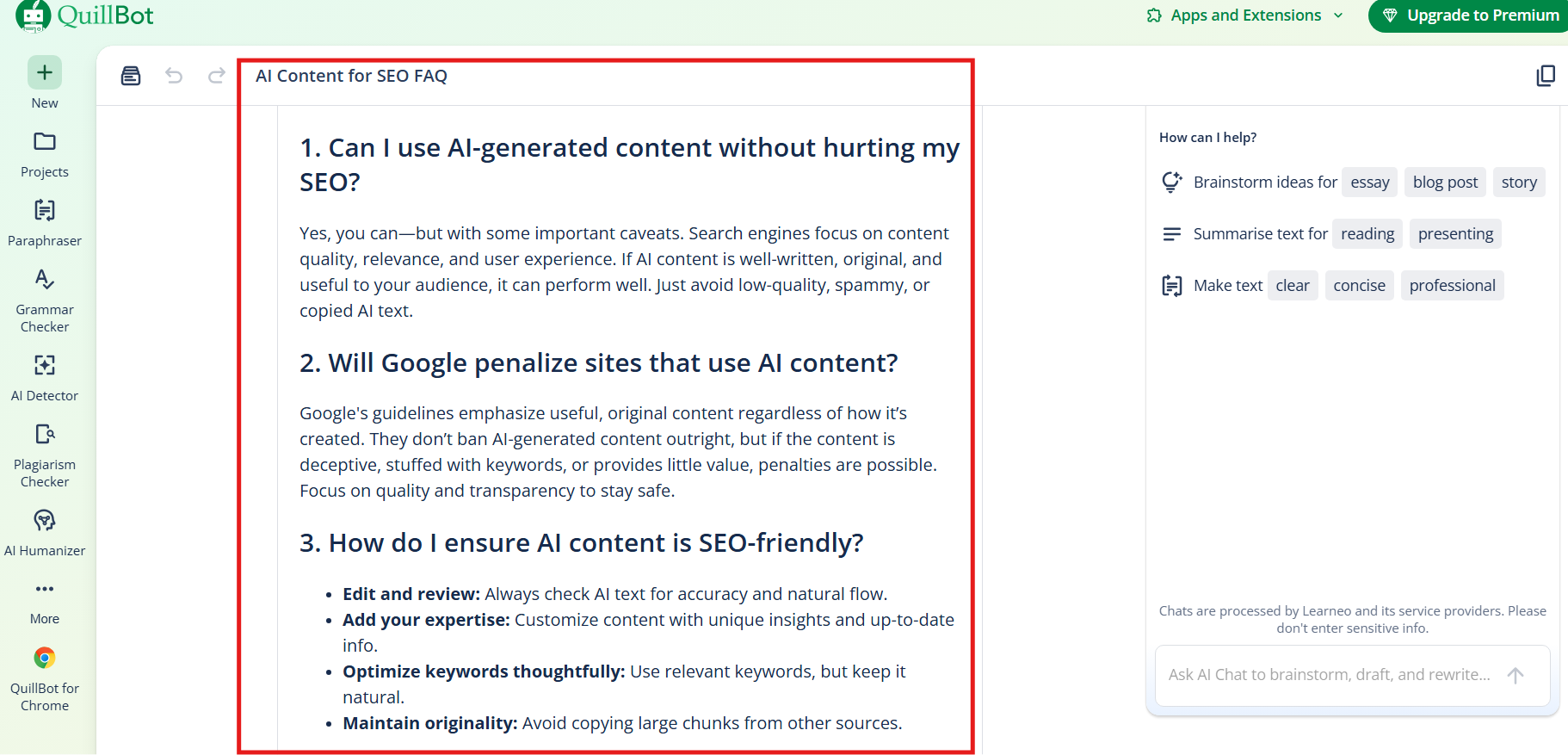
➜ There are no quick-scroll, copy-all, or dedicated FAQ controls, so users have to manually interact with the AI each time for an edit.
➜ While the quality of questions is strong, the overall experience feels more like a tiring manual edit due to a lack of easy access and go-to editing options.
➜ It makes up for the setup with better phrasing, but its fragmented workflow spoils the experience.
Pricing: The tool is free to use for now, though you will need to sign in and set up a profile.
5. AI FAQ Generator by ChatGPT
The FAQ Generator Ai by ChatGPT opens in a direct chat box where you interact with the AI to generate FAQs. There are no dedicated features, customizations, or added inputs. Everything depends on your prompting skills and how well you can communicate with the AI to guide the output.
Features
- The problem with a setup like this is that it does not work well with an existing blog you are already writing. It operates only on a single-page URL, meaning the tool needs the entire page to generate FAQs.
- For many users, this makes the setup harder to rely on, especially for those who are just starting their website journey or working across multiple pieces of content at the same time.
Results
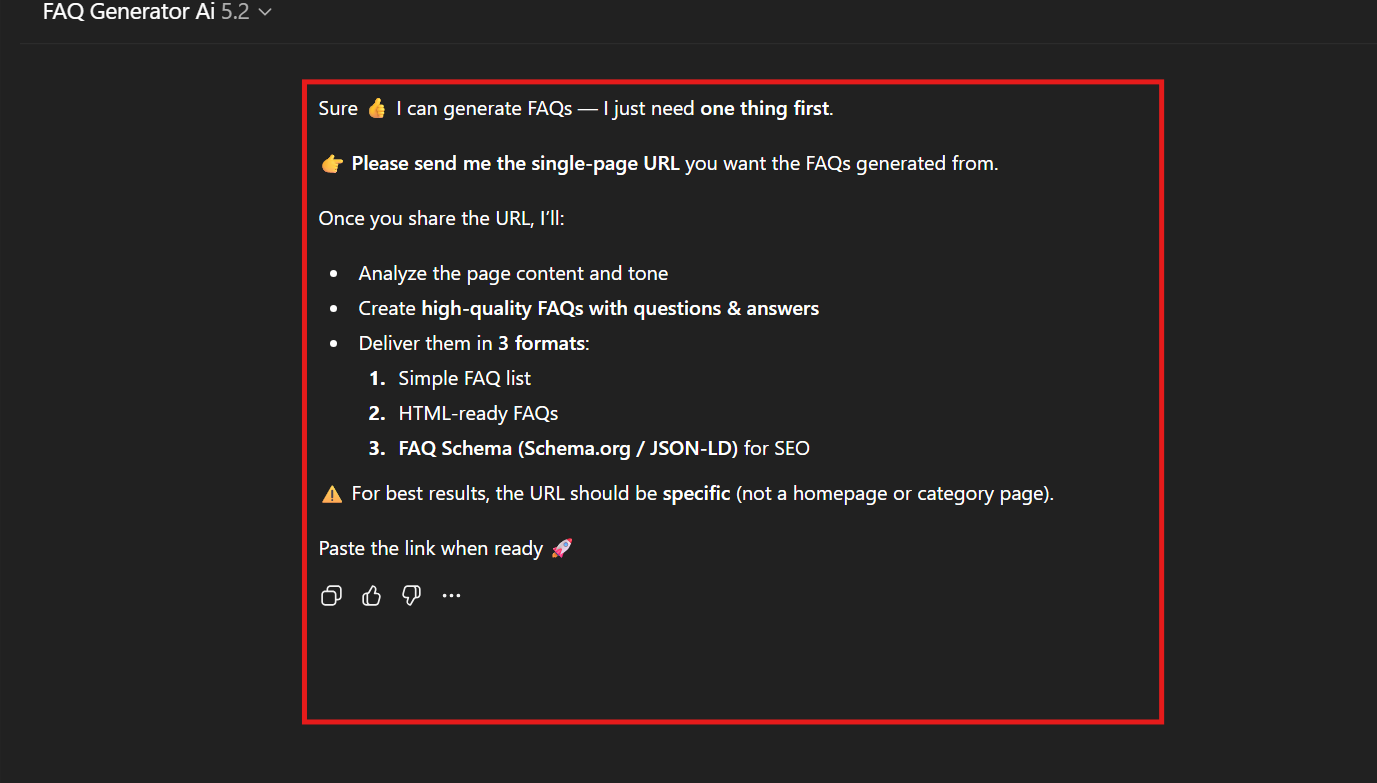
➜ Working with this tool is easy since it depends on how you converse with the AI, but at the end of the day, it is heavily dependent on your prompting skills.
➜ Secondly, it is not built for users who are just starting out or working across multiple content formats, as discussed earlier.
Pricing: It has a free version and its paid plans are priced at $22.15 and $220.50, depending on your usage.
TLDR: Which FAQ Generator Should You Choose?
To be honest, every tool brings a certain potential that can add various dimensions to your writing process. However, not every tool is designed to align with your workflow effortlessly. Some bring precision, some have structure, some offer ease of access, while others rely heavily on your prompting skills.
But with HumanizeAI.io's FAQ Generator, you not only get an instant set of smart questions but also added contextual depth to your content. It doesn't just chase keywords but scans your text to give you the best possible set of questions while keeping up with the tone and mood of your text.
Here is a quick look at what you will find as you look into the top 5 FAQ generators for 2026.
| Tool ( Brand Name) | Ease of Use | Customization | FAQs per Session | Best For |
| HumanizeAI.io | Very Easy | High | 10 | Ready-to-use SEO FAQs |
| Originality.ai | Easy | Low | 8 | Quick topic-based FAQs |
| SiteGPT | Moderate | Medium | 5 | Page-specific FAQ |
| QuillBot | Easy | Medium | Variable (chat) | Blog-focused phrasing |
| ChatGPT | Easy | High | Variable (chat) | URL-Based FAQ |
The HumanizeAI.io AI FAQ Generator is a viable option, not because it is easy to use or offers multiple attempts, but because it goes beyond the simple construct of FAQs. It helps you explore the multiple layers of user intent that often get missed. It generates questions that resonate with what users might actually search for, giving you an upper hand in the easiest way possible.
However, the best part of HumanizeAI.io AI FAQ Generator is that it understands the various layers of search intent. Moreover, the interface is easy to operate, and it's absolutely free. Therefore, you will have a trusted setup to rely on that understands you, your users, and the AI Overview.
In a time where AI Overviews and AI search tools decide what gets surfaced and cited, this kind of intent-first structure matters. HumanizeAI.io's FAQ Generator does not just help you write random questions. It helps you write FAQs that are readable and extractable.